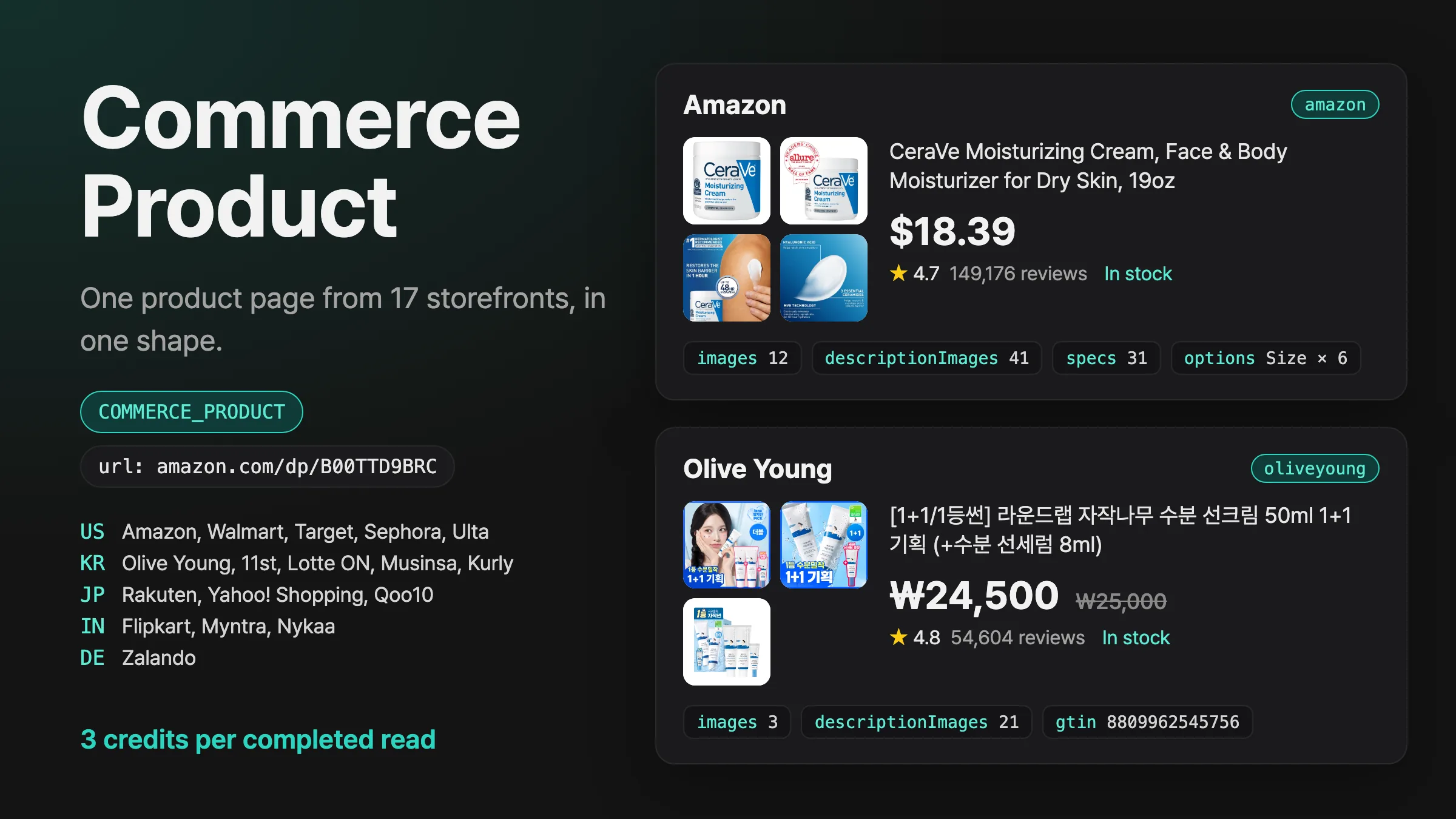
Introducing Commerce Product
Pass a product page URL from Amazon, Walmart, Sephora, Olive Young, Rakuten, Zalando or 11 more storefronts, and get its price, stock, gallery and description images, specs and options in one shape.
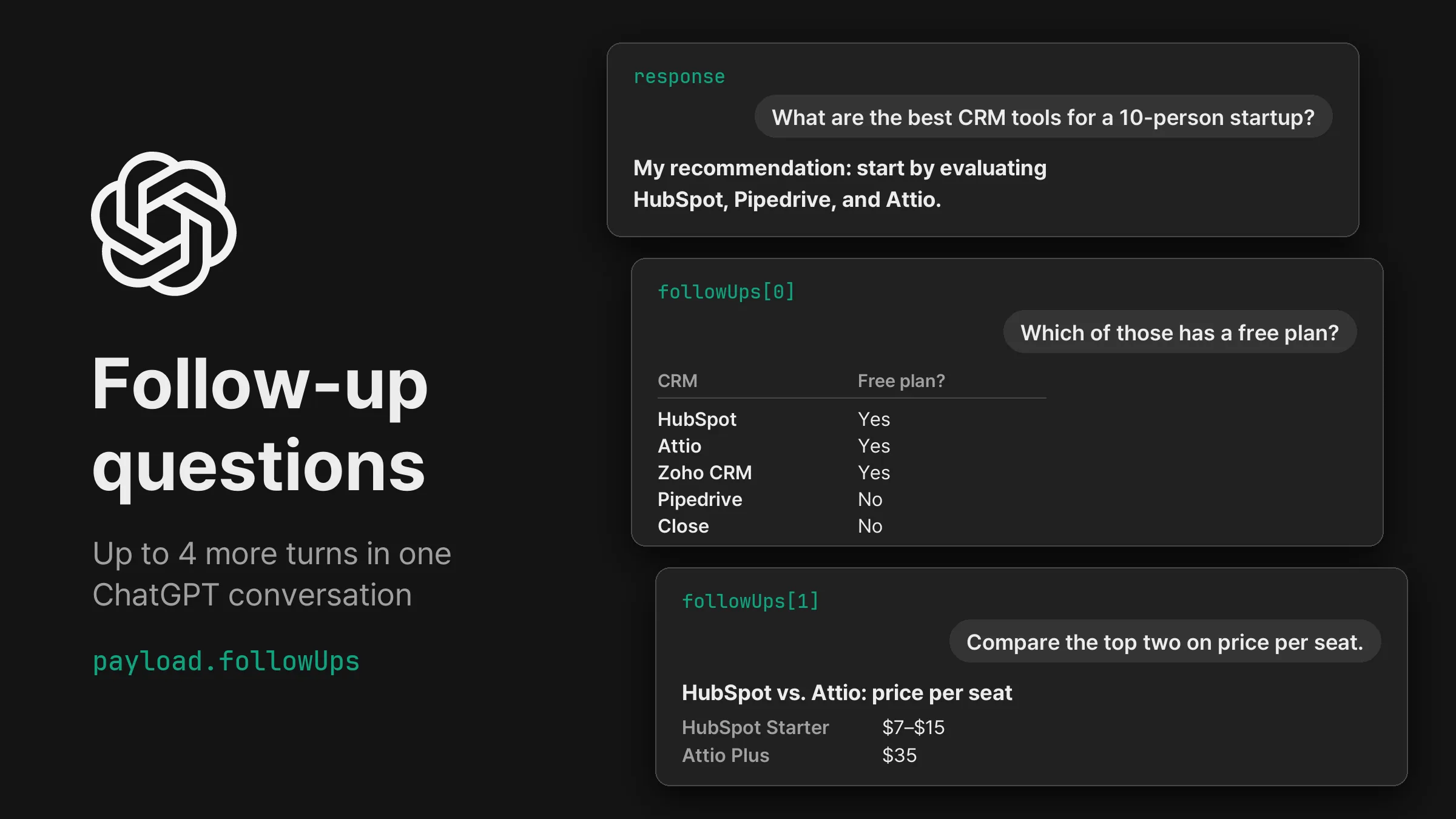
Add up to 4 follow-up questions to a ChatGPT task and get each answer from the same conversation, with its own sources and search queries.
payload.followUps: up to 4 more questions after the first answer, asked in the same ChatGPT conversation.followUps in the response: one answer per follow-up, in order. Each item has the prompt that was sent and that answer’s text, markdown, sources, searchQueries and model.select: press the button on a form ChatGPT shows in an answer, such as a budget or use picker, and get the narrowed answer. selection records the button and the values chosen.Each follow-up is asked in the conversation the first answer started, so ChatGPT answers it with the earlier turns in view. In the example below, ChatGPT first recommended HubSpot, Pipedrive and Attio for a 10-person startup. Asked “Which of those has a free plan?”, it answered with a free-plan table for HubSpot, Attio, Zoho CRM, Pipedrive and Close, and the third turn compared HubSpot and Attio on price per seat.
When an answer ends with a form, ChatGPT asks the user to pick options and press a button. In Korea, the question “가성비 무선 이어폰 3개 추천해줘” (recommend 3 good-value wireless earbuds) came back with a form for smartphone, budget and use. { "select": {} } pressed its button “조건에 맞춰 다시 추천받기” with the options ChatGPT had preselected (Galaxy, ₩50,000 or less, commuting and music) and returned a new recommendation for them.
button counts the buttons of the previous answer from 0 and defaults to 0. choices sets the options, as an array in the form’s order or as an object keyed by each choice’s name in layout. Each value is an option’s value, its label or its position from 0. When the previous answer lacks the form, button or option, the remaining follow-ups stop, followUpsStopped gives the reason, and the task completes with the answers it received.
Every turn gets the same checks as the first answer: an empty reply, the requested location and the model. A turn that fails a check is asked again at the same point in the conversation, like ChatGPT’s Regenerate. A five-turn conversation in Korea finished in 240 to 285 seconds.
Send the request with your API key in the Authorization header.
curl -X POST https://api.querying.ai/v1/async/task \
  -H "Authorization: Bearer $QUERYING_API_KEY" \
  -H "Content-Type: application/json" \
  -d '{
    "taskType": "CHATGPT",
    "payload": {
      "prompt": "What are the best CRM tools for a 10-person startup?",
      "country": "US",
      "followUps": [
        { "prompt": "Which of those has a free plan?" },
        { "prompt": "Compare the top two on price per seat." }
      ]
    }
}'taskTypestringRequiredCHATGPT or GOOGLE.payload.promptstringRequiredpayload.countrystringUS, KR or JP. Default US.payload.followUpsarray{"prompt": "…"} to ask a question, or {"select": {…}} to press a button on the form in the previous answer. For CHATGPT.webhook.urlstringA finished task looks like this, trimmed for length.
{
  "success": true,
  "task": {
    "id": "0c61ad33-1514-47b2-b7f2-d79d4a6cd956",
    "taskType": "CHATGPT",
    "status": "COMPLETED",
    "createdAt": "2026-10-16T00:02:14.833Z"
  },
  "credits": { "creditsToCharge": 3, "creditsCharged": 3 },
  "response": {
    "text": "For a 10-person startup, the best CRM is usually one that your team can adopt quickly, keeps sales activity organized, and doesn't require a full-time administrator to maintain.\n\n**My recommendation: start by evaluating HubSpot, Pipedrive, and Attio.** …",
    "sources": [
      {
        "position": 1,
        "url": "https://stackbytrade.com/startups/best-crm/",
        "label": "Best CRM for Startups (2026): 4 Options Compared on Price and Scale | StackByTrade",
        "attribution": "stackbytrade.com"
      }
    ],
    "searchQueries": [
      "best CRM software for startups 2026 HubSpot Pipedrive Attio Zoho Salesforce pricing features"
    ],
    "model": "gpt-6",
    "followUps": [
      {
        "prompt": "Which of those has a free plan?",
        "text": "## Free-plan comparison\n\n| CRM | Free plan? | Important limitation |\n|---|---|---|\n| **HubSpot** | Yes | Up to 2 users and 1,000 contacts on its free CRM offering. … |\n| **Attio** | Yes | Up to 3 seats. … |\n…",
        "sources": [
          {
            "position": 1,
            "url": "https://www.pipedrive.com/en/pricing/professional-crm",
            "label": "CRM Pricing Plans | Affordable CRM Software Costs | Pipedrive",
            "attribution": "pipedrive.com"
          }
        ],
        "searchQueries": [
          "HubSpot CRM free plan 2026 official pricing",
          "Attio free plan pricing 2026 official"
        ],
        "model": "gpt-6"
      },
      {
        "prompt": "Compare the top two on price per seat.",
        "text": "For your 10-person startup, the top two from my earlier recommendation were **HubSpot and Pipedrive**. …",
        "sources": [
          {
            "position": 1,
            "url": "https://www.hubspot.com/products/crm",
            "label": "Streamline Your Entire Business With a Free CRM | HubSpot",
            "attribution": "www.hubspot.com"
          }
        ],
        "searchQueries": [
          "HubSpot CRM pricing per seat 2026 official pricing free seats Starter annual billing",
          "Attio CRM pricing per seat 2026 official pricing free seats Plus annual billing"
        ],
        "model": "gpt-6"
      }
    ]
  }
}task.statusstringQUEUED, PROCESSING, then COMPLETED with the answer or FAILED with error.credits.creditsChargedintegerresponse.textstringresponse.sourcesarrayposition, url and label.response.followUpsarrayprompt that was sent, selection (the button and values) for a select, and the fields of the first answer, such as text, markdown, sources, searchQueries and model.response.followUpsStoppedobjectselect finds no form, button or option to press: the follow-up’s index, a code such as NO_FOLLOW_UP_FORM, and message. The task completes with the answers received up to then.The request returns the task right away with status QUEUED. Poll GET /v1/async/task/{id} until status is COMPLETED or FAILED, or add webhook.url and the finished task arrives at your server with the same task, credits and response. Results stay available for 24 hours after a task finishes.
curl https://api.querying.ai/v1/async/task/$TASK_ID \
-H "Authorization: Bearer $QUERYING_API_KEY"Each answer costs 1 credit, the price of a ChatGPT task. The example below returned 3 answers and charged 3 credits. When follow-ups stop early, the task charges for the answers it returned.
Pass a product page URL from Amazon, Walmart, Sephora, Olive Young, Rakuten, Zalando or 11 more storefronts, and get its price, stock, gallery and description images, specs and options in one shape.
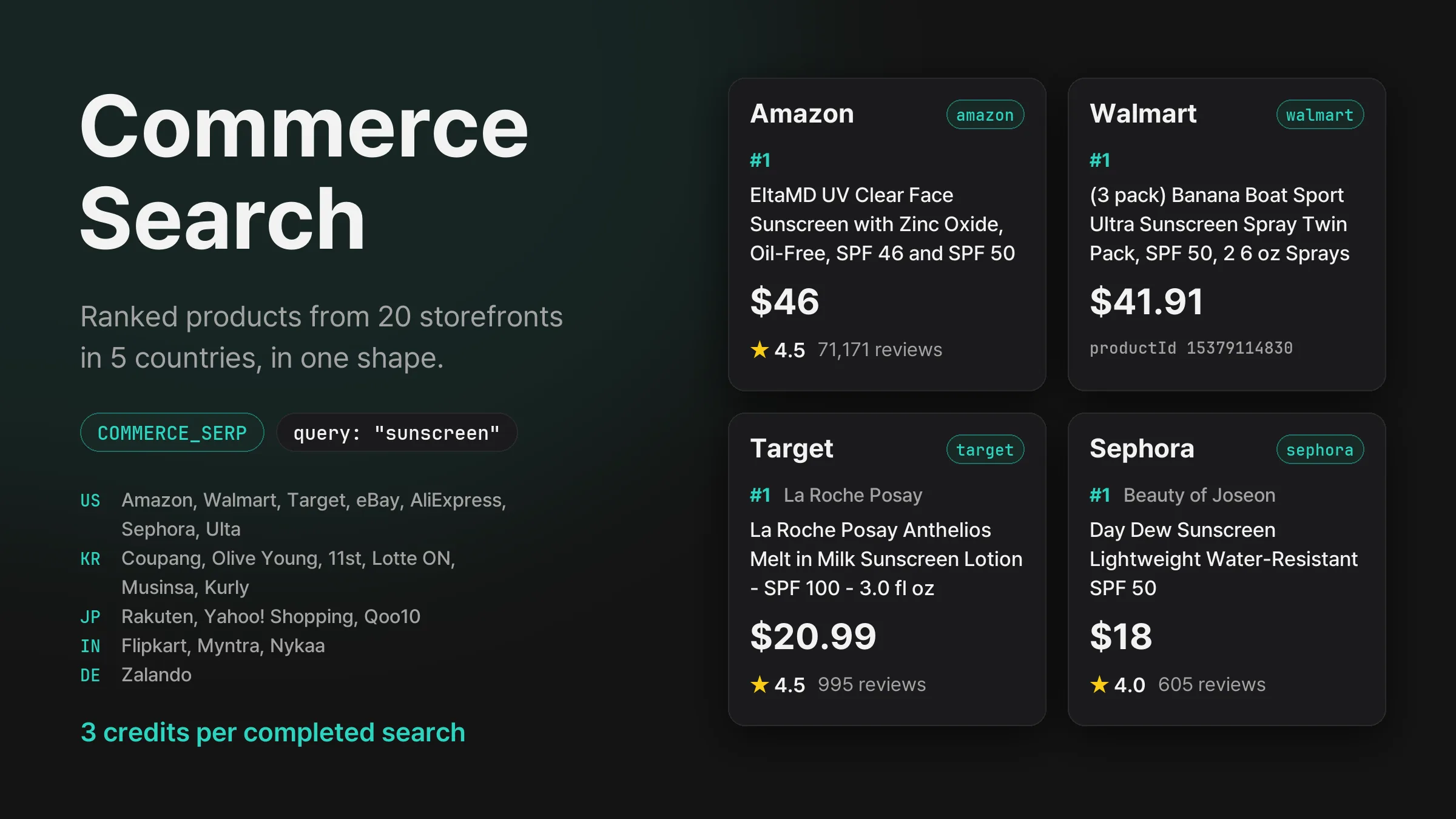
Search Amazon, Walmart, Coupang, Olive Young, Rakuten, Flipkart, Zalando and 13 more storefronts in five countries, and get each one’s product ranking with prices, ratings and review counts in the same shape.
Get new product updates in your inbox.