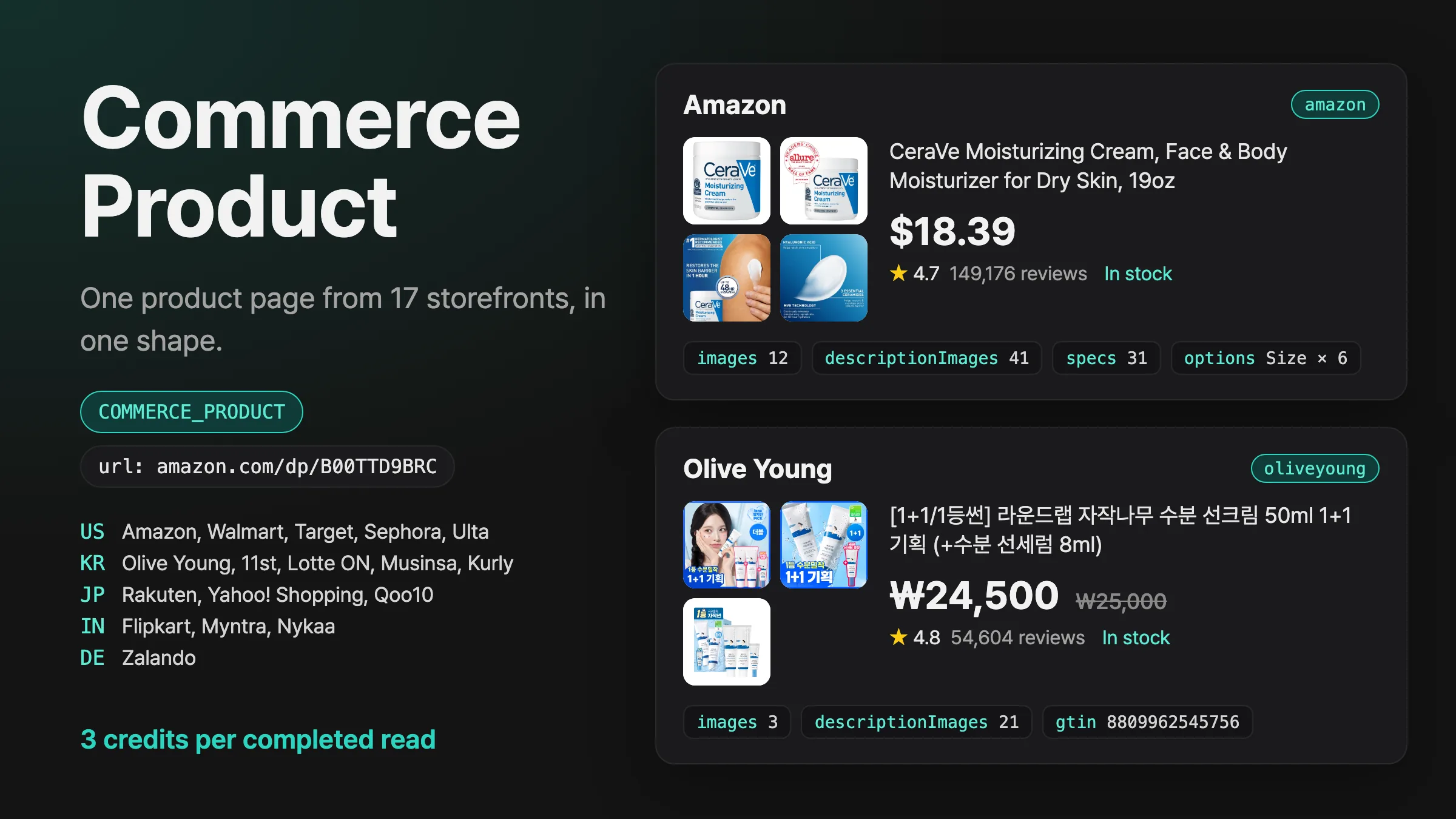
Introducing Commerce Product
Pass a product page URL from Amazon, Walmart, Sephora, Olive Young, Rakuten, Zalando or 11 more storefronts, and get its price, stock, gallery and description images, specs and options in one shape.
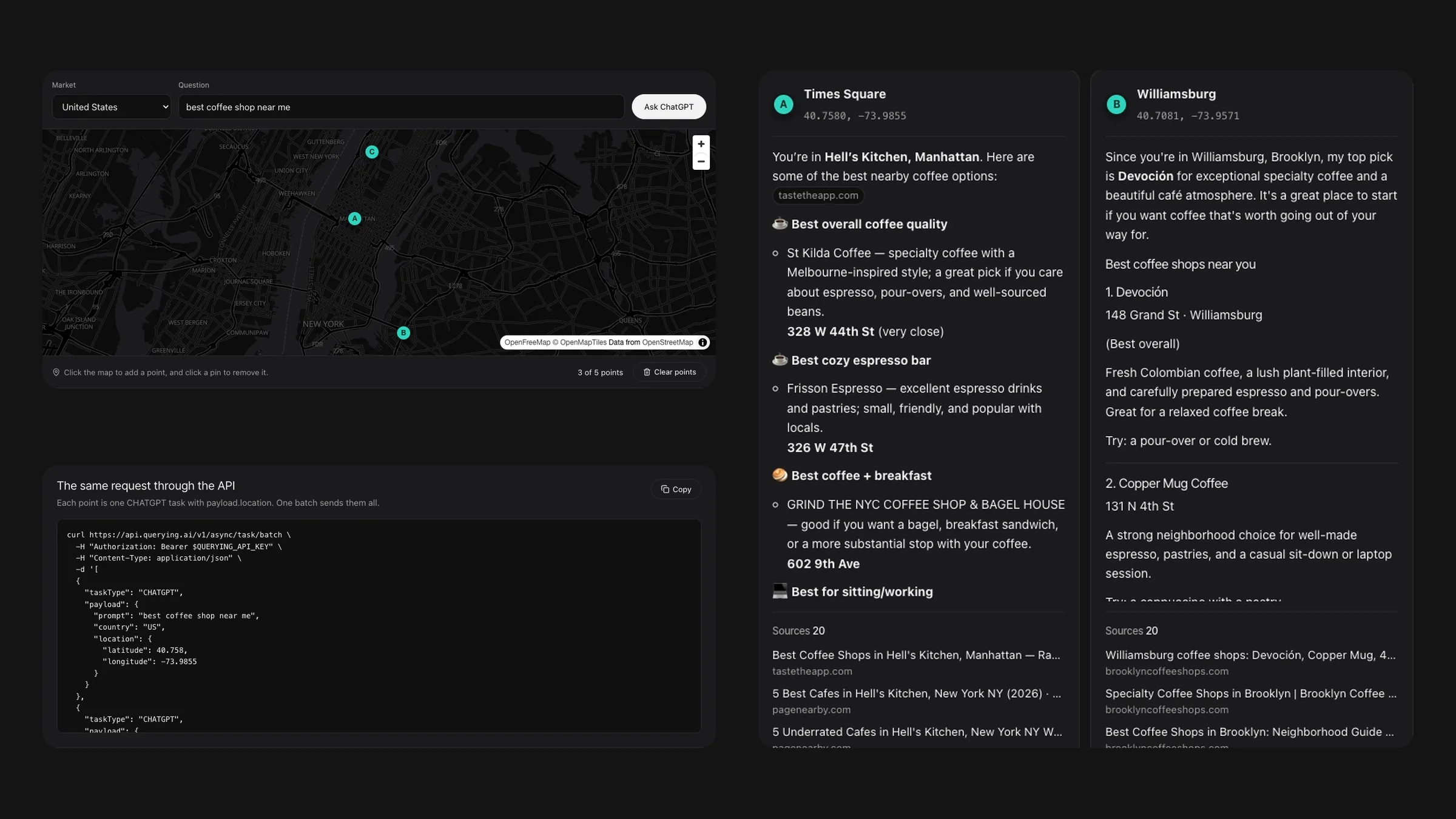
Pick up to five points on a map at querying.ai/en/demo, ask ChatGPT one question and compare each point’s answer and sources, five questions a day for free.
querying.ai/en/demo (and querying.ai/ko/demo in Korean): a market menu with 15 countries, a question box and a map.querying.ai/en/demo/{id}, which opens the same answers later.curl, ready to copy: one CHATGPT task with payload.location per point.Each point you place becomes one ChatGPT task with payload.location, the same task the API runs for customers. querying.ai asks ChatGPT as a user standing at that point in the market you chose, so local recommendations come from around each point. Each column fills in as its point finishes.
Every visitor has 5 questions per 24 hours, each with up to 5 points and up to 300 characters. The examples open right away and leave all 5 questions for your own. When the 5 are used, the page offers a free account, and the API takes the same coordinates for ChatGPT, Gemini and Google AI Overviews.
querying.ai/en/demo and choose a country in Market.The demo’s request runs from your code with an API key. Each point is one CHATGPT task in a batch:
curl -X POST https://api.querying.ai/v1/async/task/batch \
  -H "Authorization: Bearer $QUERYING_API_KEY" \
  -H "Content-Type: application/json" \
  -d '[
    {
      "taskType": "CHATGPT",
      "payload": {
        "prompt": "best coffee shop near me",
        "country": "US",
        "location": { "latitude": 40.758, "longitude": -73.9855 }
      }
    },
    {
      "taskType": "CHATGPT",
      "payload": {
        "prompt": "best coffee shop near me",
        "country": "US",
        "location": { "latitude": 40.7081, "longitude": -73.9571 }
      }
    },
    {
      "taskType": "CHATGPT",
      "payload": {
        "prompt": "best coffee shop near me",
        "country": "US",
        "location": { "latitude": 40.787, "longitude": -73.9754 }
      }
    }
]'The request returns the task right away with status QUEUED. Poll GET /v1/async/task/{id} until status is COMPLETED or FAILED, or add webhook.url and the finished task arrives at your server with the same task, credits and response. Results stay available for 24 hours after a task finishes.
curl https://api.querying.ai/v1/async/task/$TASK_ID \
-H "Authorization: Bearer $QUERYING_API_KEY"The demo is free: 5 questions per 24 hours, up to 5 points each. Through the API, each point is a ChatGPT task at 2 credits per completed task, and new accounts start with free credits.
Pass a product page URL from Amazon, Walmart, Sephora, Olive Young, Rakuten, Zalando or 11 more storefronts, and get its price, stock, gallery and description images, specs and options in one shape.
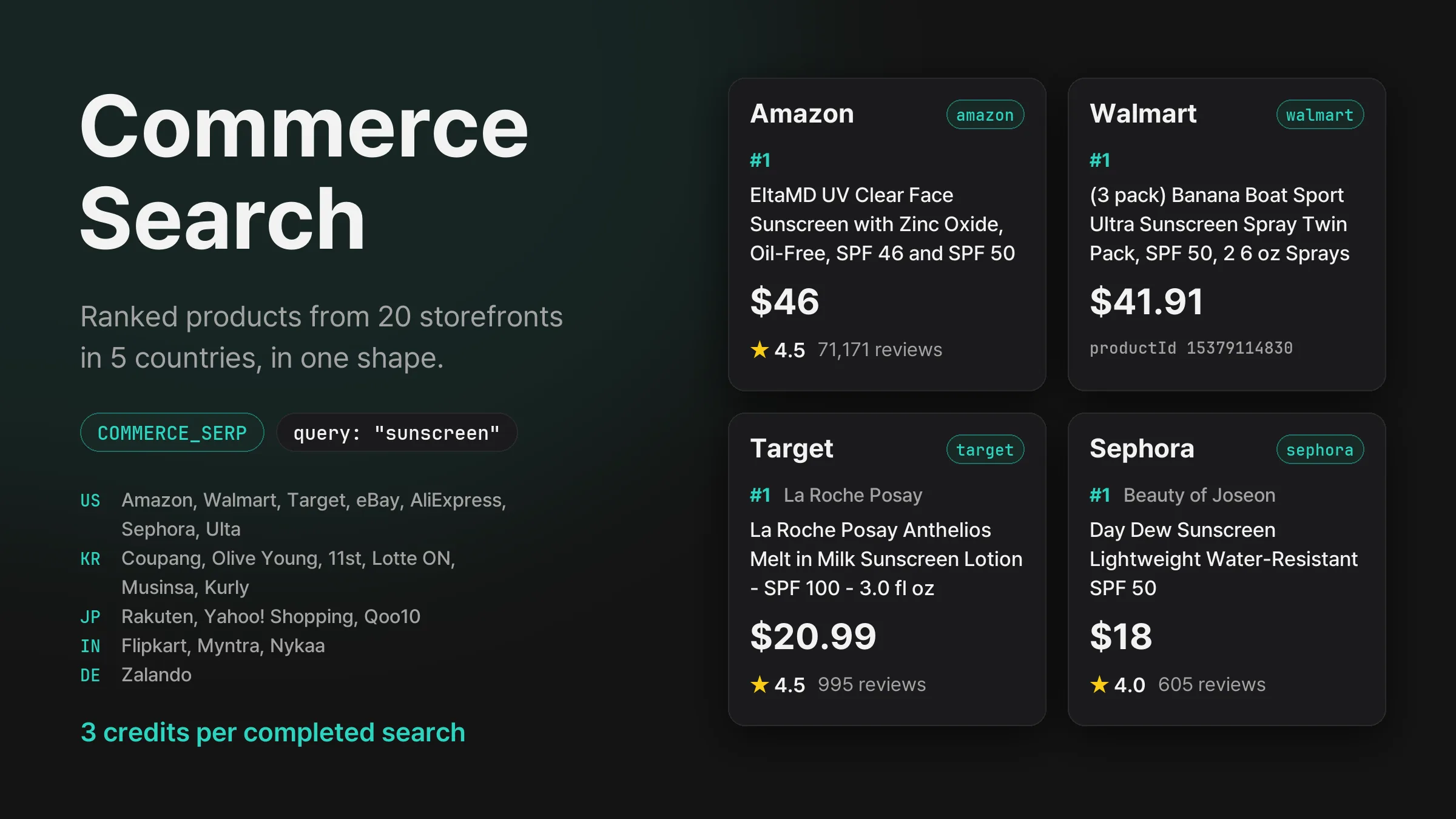
Search Amazon, Walmart, Coupang, Olive Young, Rakuten, Flipkart, Zalando and 13 more storefronts in five countries, and get each one’s product ranking with prices, ratings and review counts in the same shape.
Get new product updates in your inbox.