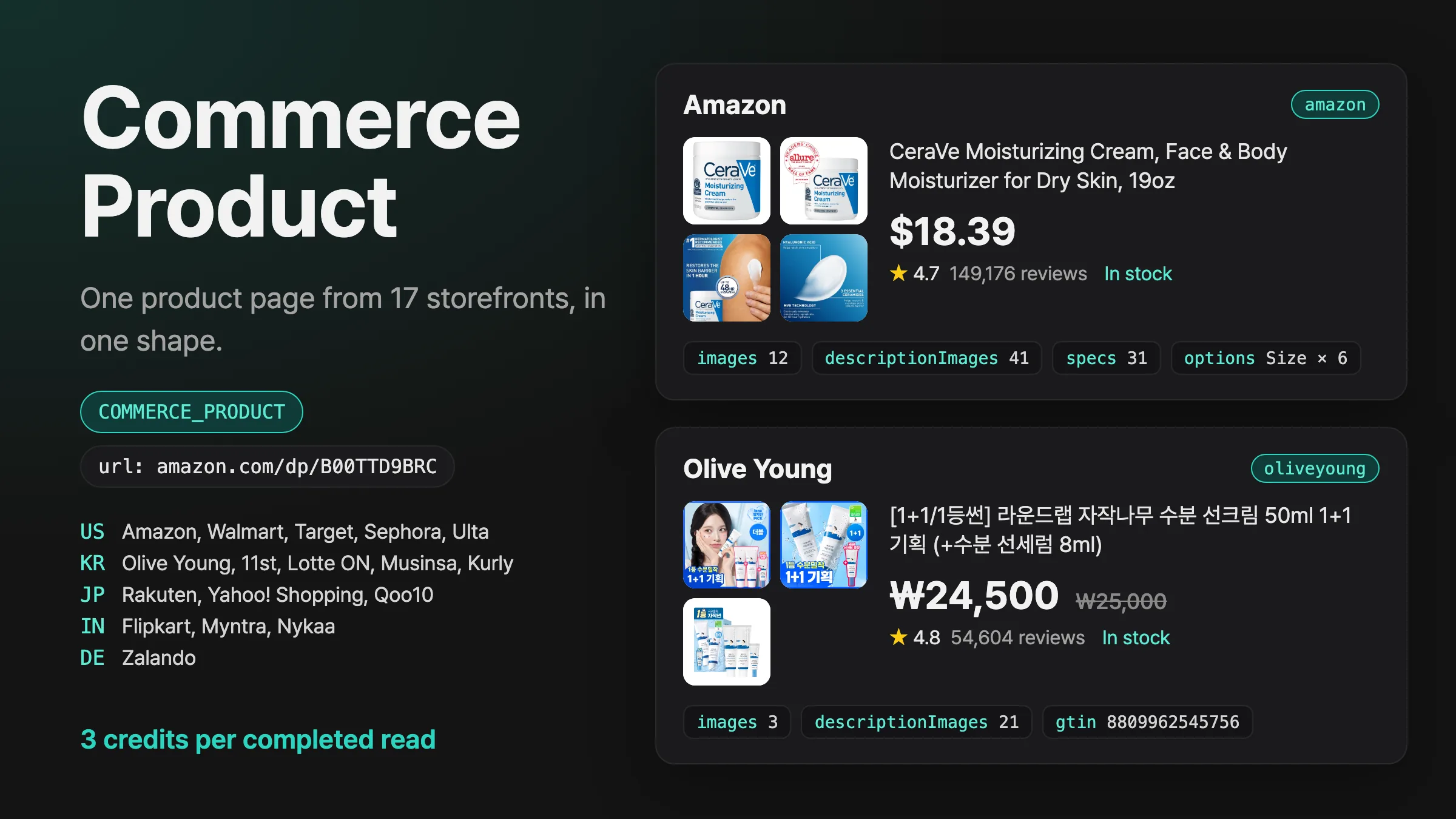
Introducing Commerce Product
Pass a product page URL from Amazon, Walmart, Sephora, Olive Young, Rakuten, Zalando or 11 more storefronts, and get its price, stock, gallery and description images, specs and options in one shape.
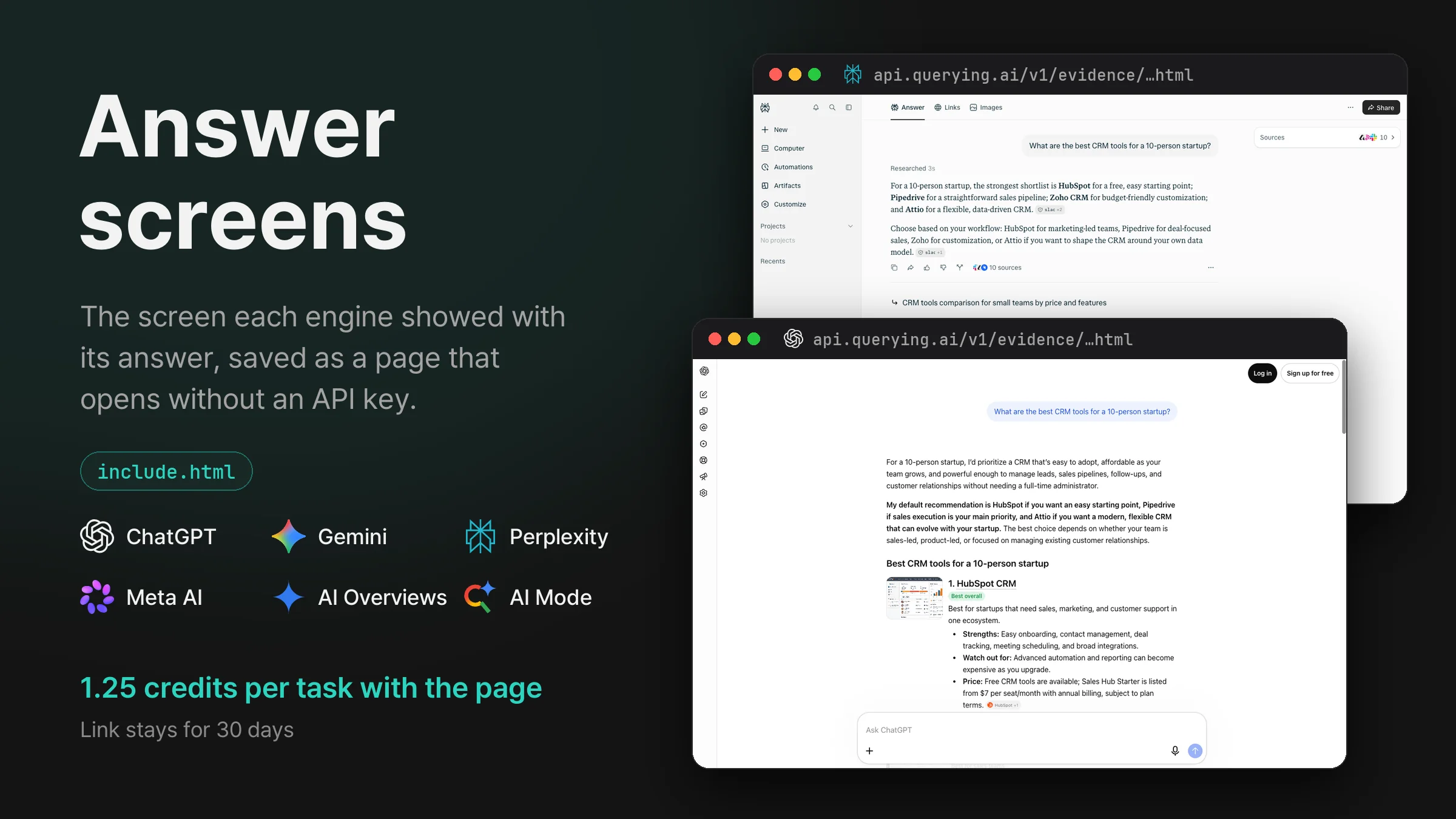
Turn on include.html for ChatGPT, Gemini, Perplexity, Meta AI, Google AI Overviews or AI Mode and get a link to the engine’s own answer screen, saved as a page that opens without an API key.
payload.include.html: true on CHATGPT, GEMINI, PERPLEXITY, META_AI, GOOGLE and AIMODE.html in the response: status (ok or failed), url and expiresAt. The link works for 30 days after the task finishes.text, sources and the rest) arrive as before. A page that fails never fails the task.On ChatGPT, Gemini, Perplexity and Meta AI, the question is asked in a real browser on the engine’s own site, and the screen is saved when the answer finishes: the sidebar, the question, the answer with its source chips, and the message box. The answer fields come from that same ask, and a screen that does not match the answer is not saved.
Scripts are removed before the page is saved, and its images, styles and fonts are stored inside the file. The page opens the same way in any browser, without loading anything from the engine.
On Google AI Overviews and AI Mode, the page is the results page Google returned for the task, with its scripts removed. The AI Overview and its source list are saved open, as if Show more and Show all had been pressed, so the whole answer reads without scripts.
When the screen cannot be captured or saved, html is { "status": "failed", "error": "EVIDENCE_FAILED" } and the task completes with its answer. A ChatGPT task with location, CN or HK, or continueFrom, and a Gemini task with location, CN, DE, GB or IR always come back without a page.
Send the request with your API key in the Authorization header.
curl -X POST https://api.querying.ai/v1/async/task \
  -H "Authorization: Bearer $QUERYING_API_KEY" \
  -H "Content-Type: application/json" \
  -d '{
    "taskType": "PERPLEXITY",
    "payload": {
      "prompt": "What are the best CRM tools for a 10-person startup?",
      "country": "US",
      "include": { "html": true }
    }
}'taskTypestringRequiredCHATGPT or GOOGLE.payload.promptstringRequiredpayload.countrystringUS, KR or JP. Default US.payload.include.htmlbooleantrue adds html, a link to the screen the engine showed with the answer. On CHATGPT, GEMINI, PERPLEXITY, META_AI, GOOGLE and AIMODE. Off by default.webhook.urlstringA finished task looks like this, trimmed for length.
{
  "success": true,
  "task": {
    "id": "7be8662e-5f62-48bf-a54a-7b58a2701b7c",
    "taskType": "PERPLEXITY",
    "status": "COMPLETED",
    "createdAt": "2026-10-21T01:20:07.445Z"
  },
  "credits": { "creditsToCharge": 1.25, "creditsCharged": 1.25 },
  "response": {
    "text": "For a 10-person startup, the strongest shortlist is **HubSpot** for a free, easy starting point; **Pipedrive** for a straightforward sales pipeline; **Zoho CRM** for budget-friendly customization; and **Attio** for a flexible, data-driven CRM.[1][2][3]\n\n…",
    "sources": [
      {
        "position": 1,
        "url": "https://slack.com/blog/crm/best-crms-for-startups",
        "label": "Best CRMs for Startups: Tools, Benefits, and Tips"
      },
      {
        "position": 2,
        "url": "https://attio.com/f/best-crm-for-startups",
        "label": "Best CRMs for startups in 2026"
      }
    ],
    "html": {
      "status": "ok",
      "url": "https://api.querying.ai/v1/evidence/1792545851-e8cc8a32dd7f456eb807a0e09e9bc0fa.html",
      "expiresAt": "2026-11-20T01:24:11.000Z"
    }
  }
}task.statusstringQUEUED, PROCESSING, then COMPLETED with the answer or FAILED with error.credits.creditsChargedintegerresponse.textstringresponse.sourcesarrayposition, url and label.response.htmlobjectstatus (ok or failed), url (opens without an API key) and expiresAt, 30 days after the task finished. A failed page has error EVIDENCE_FAILED, and the task still completes with its answer.The request returns the task right away with status QUEUED. Poll GET /v1/async/task/{id} until status is COMPLETED or FAILED, or add webhook.url and the finished task arrives at your server with the same task, credits and response. Results stay available for 24 hours after a task finishes.
curl https://api.querying.ai/v1/async/task/$TASK_ID \
-H "Authorization: Bearer $QUERYING_API_KEY"EVIDENCE_UNSUPPORTEDHTTP 422include.html is on for an engine that has no page. Only CHATGPT, GEMINI, PERPLEXITY, META_AI, GOOGLE and AIMODE return one.VALIDATION_ERRORHTTP 400details names the field.MISSING_API_KEYHTTP 401Authorization header is missing, or its key is unknown, expired or revoked.INSUFFICIENT_CREDITSHTTP 402On ChatGPT, Perplexity and Meta AI, the page adds 0.25 credits to the engine’s price. The 0.25 is held when you submit and charged only when html.status is ok. On Gemini, Google AI Overviews and AI Mode, the page is free. With the page, a task on any of the six engines costs 1.25 credits, like the Perplexity task in the example.
Pass a product page URL from Amazon, Walmart, Sephora, Olive Young, Rakuten, Zalando or 11 more storefronts, and get its price, stock, gallery and description images, specs and options in one shape.
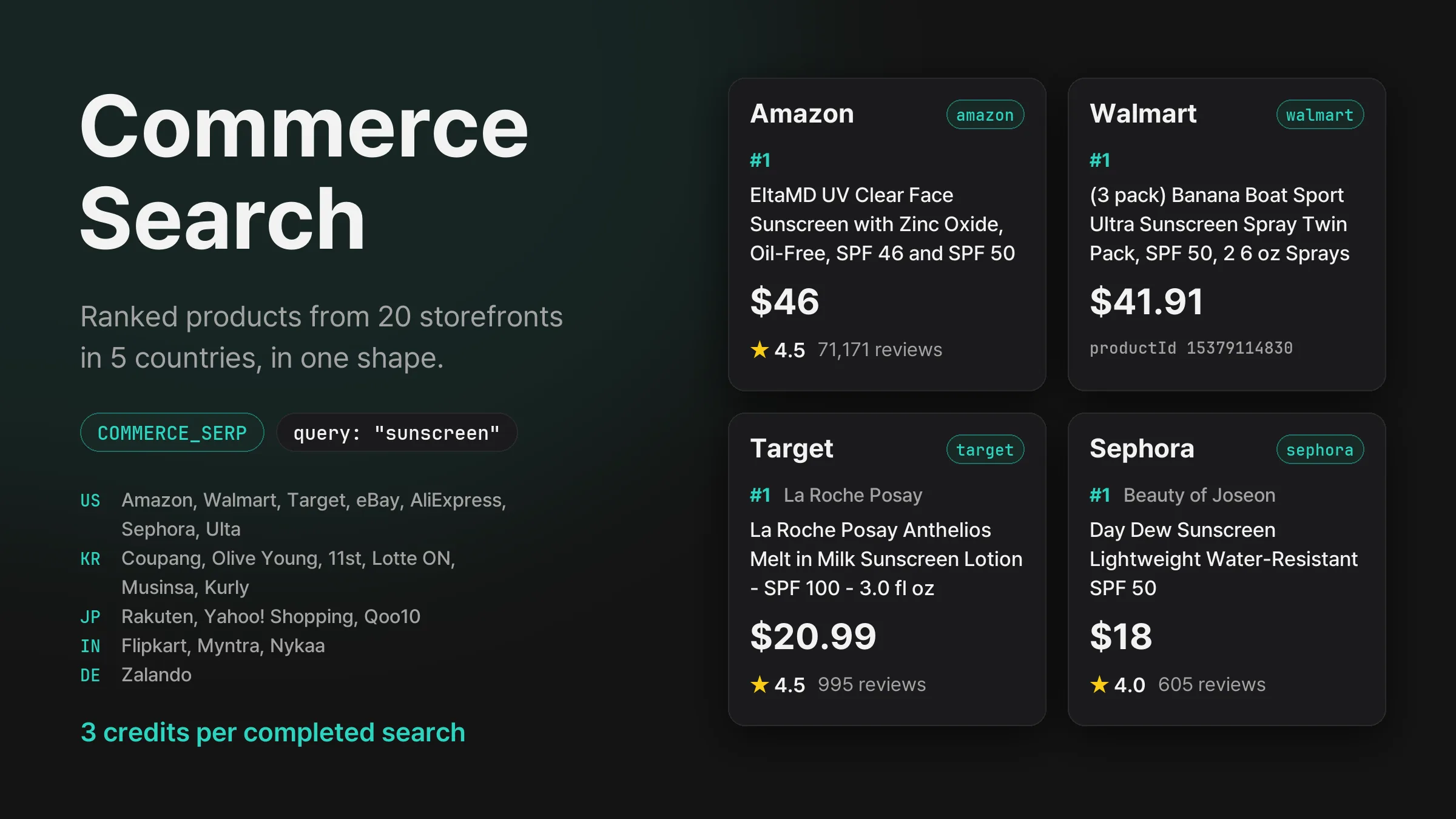
Search Amazon, Walmart, Coupang, Olive Young, Rakuten, Flipkart, Zalando and 13 more storefronts in five countries, and get each one’s product ranking with prices, ratings and review counts in the same shape.
Get new product updates in your inbox.