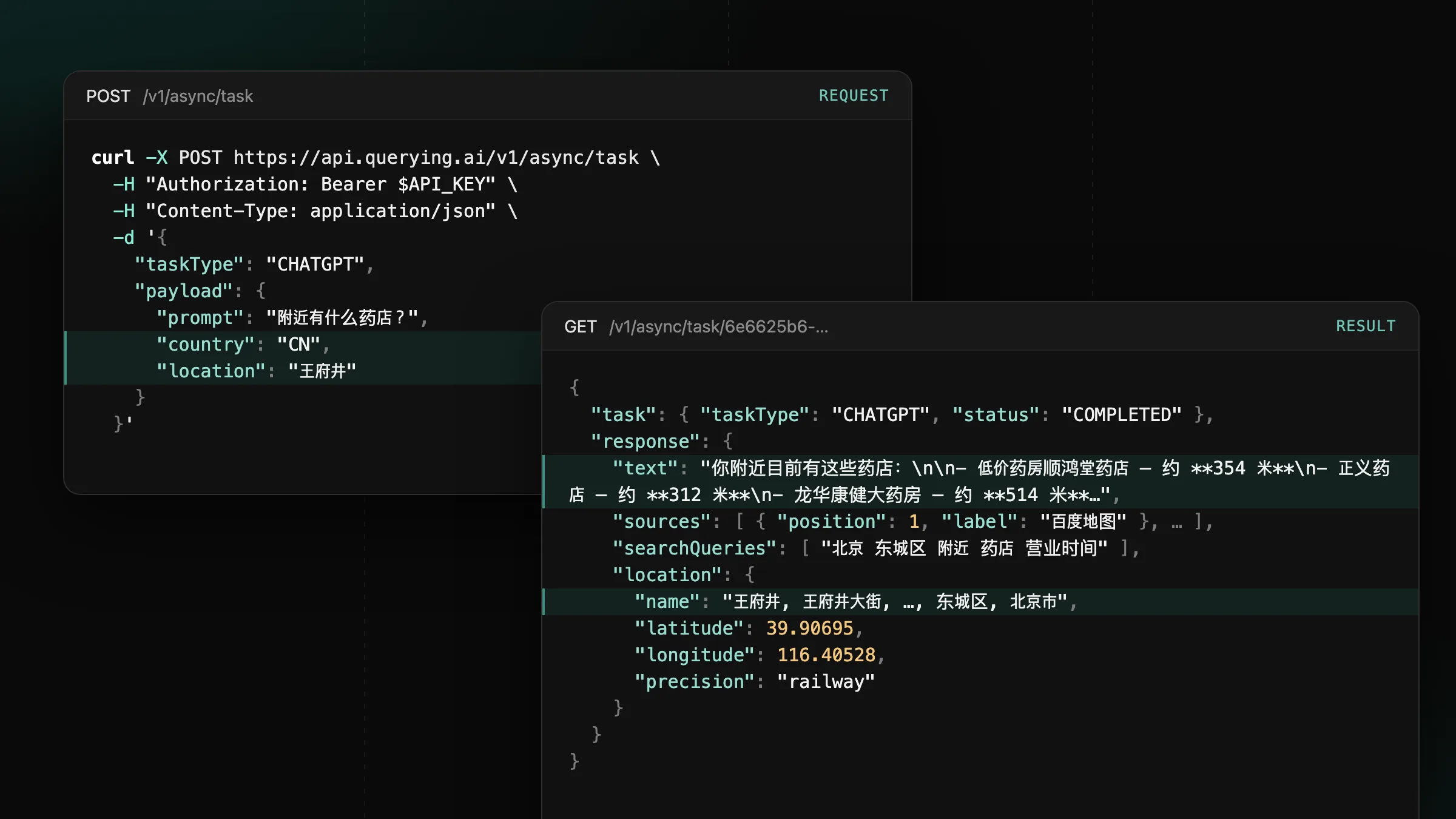
Now supporting mainland China on ChatGPT, Gemini and Google
Set country to CN or HK on CHATGPT, GEMINI and GOOGLE tasks to get the answers users in mainland China and Hong Kong see.
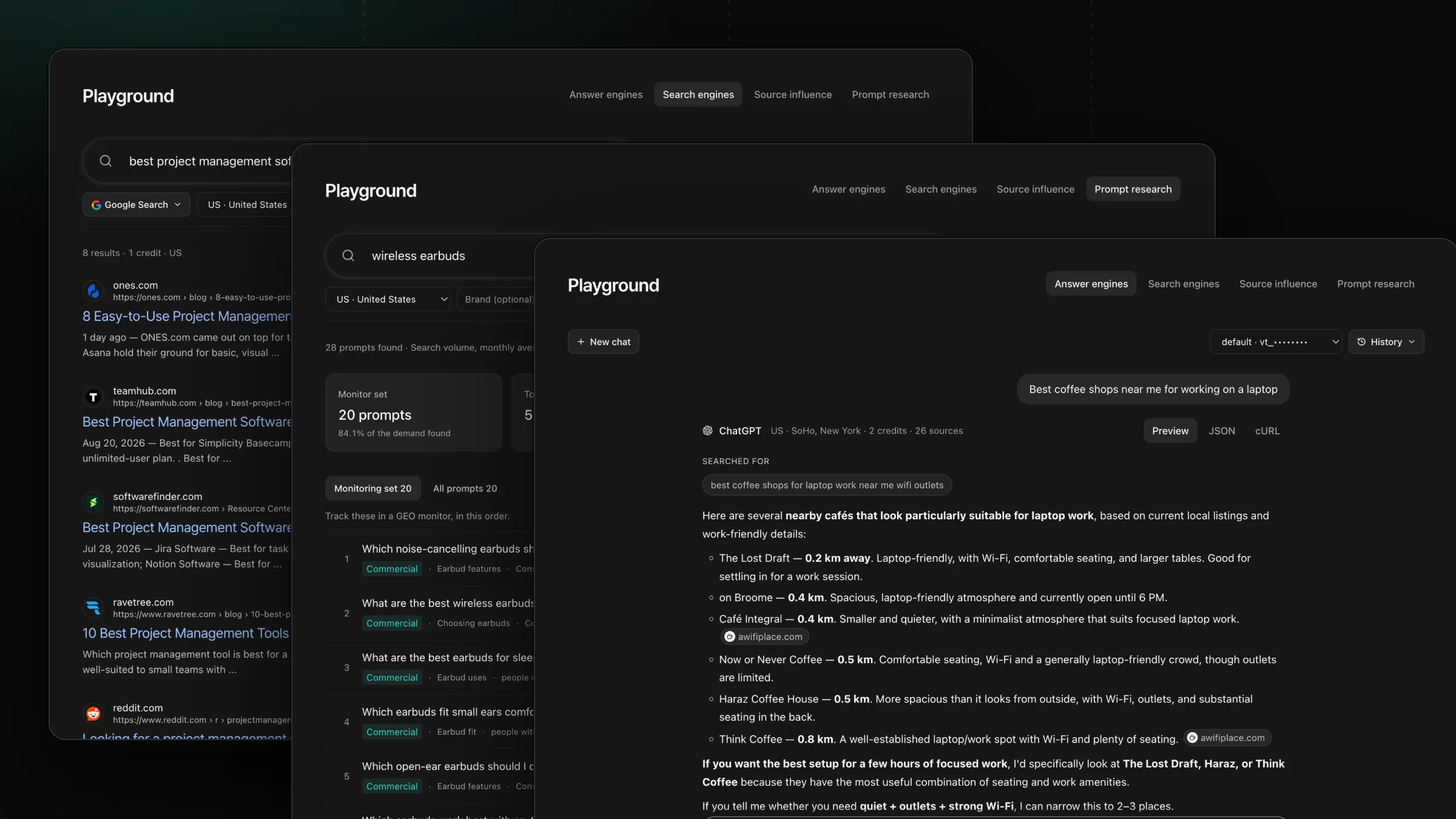
The Playground now runs every tool in four tabs, with Preview, JSON and cURL for each result.
The Playground now holds every querying.ai tool in four tabs: Answer engines, Search engines, Source influence and Prompt research. Every tab runs real tasks on the API key you pick at the top, so what you see is exactly what your code receives.
Ask an answer engine the way you would in a chat. Pick the engine in the composer, type a prompt and send: each message runs one task, and the answer arrives with its sources, product cards and places, drawn the way the engine shows them. Chats stay in History in this browser, and every task also lands in Activity. Under a completed answer with citations, Source influence → hands it straight to the Source influence tab.
Type a query and read Google, Bing, Naver or Reddit results as a search results page, with People also ask and Related searches when the engine shows them. Choose Web Scrape and paste a URL to read a page as Markdown.
Pick a recent answer or paste one, and see which of its passages match a paragraph on a page it cites. Matched passages are marked in the answer; select one to see the paragraph behind it and the cited pages it came from. The price appears before the analysis runs, and the run holds up to that amount and returns what it leaves unused.
Enter a topic and get the prompts people ask about it, ordered by monthly search demand. The tab shows the topic’s monthly searches, a Monitor set with the share of demand it covers, and demand by topic and by persona, so you know which prompts to track first.
Playground tasks use your credits at each tool’s usual price, and every run appears in Activity like any API call.
Set country to CN or HK on CHATGPT, GEMINI and GOOGLE tasks to get the answers users in mainland China and Hong Kong see.
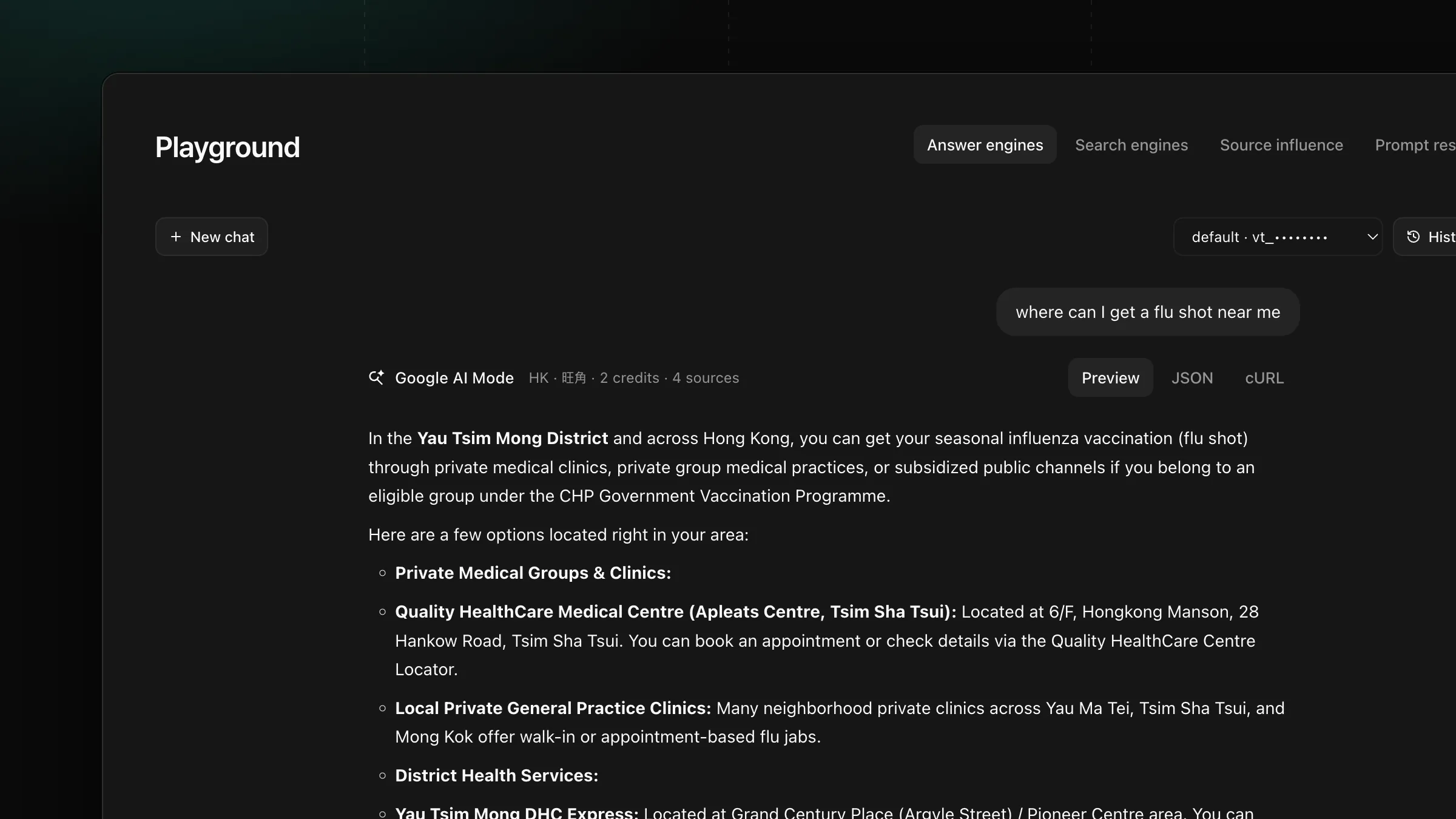
Set payload.location on GOOGLE, AIMODE and GOOGLE_SERP tasks to get the AI Overview, AI Mode answer and search results a user at that place sees.
Get new product updates in your inbox.