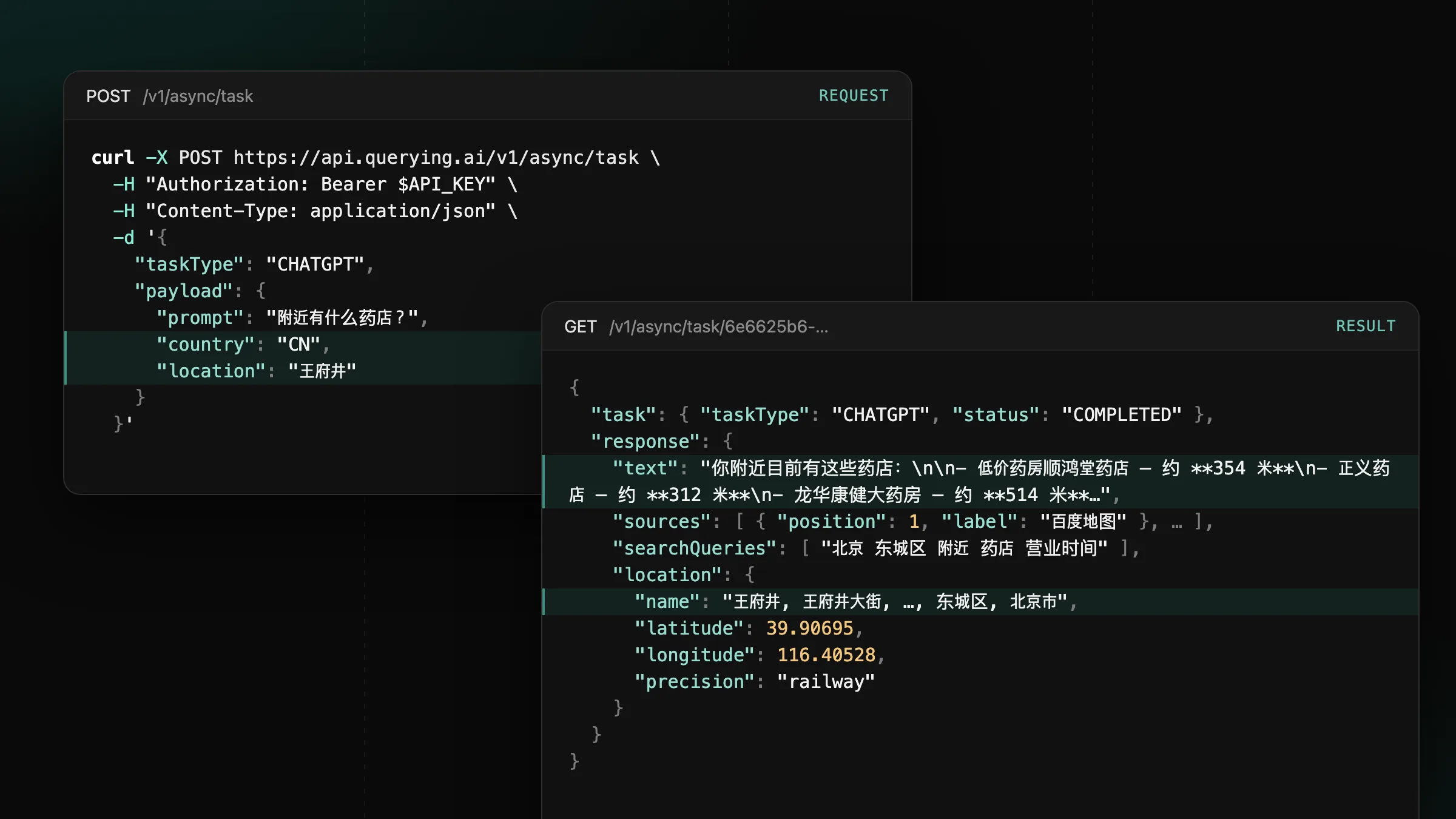
Now supporting mainland China on ChatGPT, Gemini and Google
Set country to CN or HK on CHATGPT, GEMINI and GOOGLE tasks to get the answers users in mainland China and Hong Kong see.
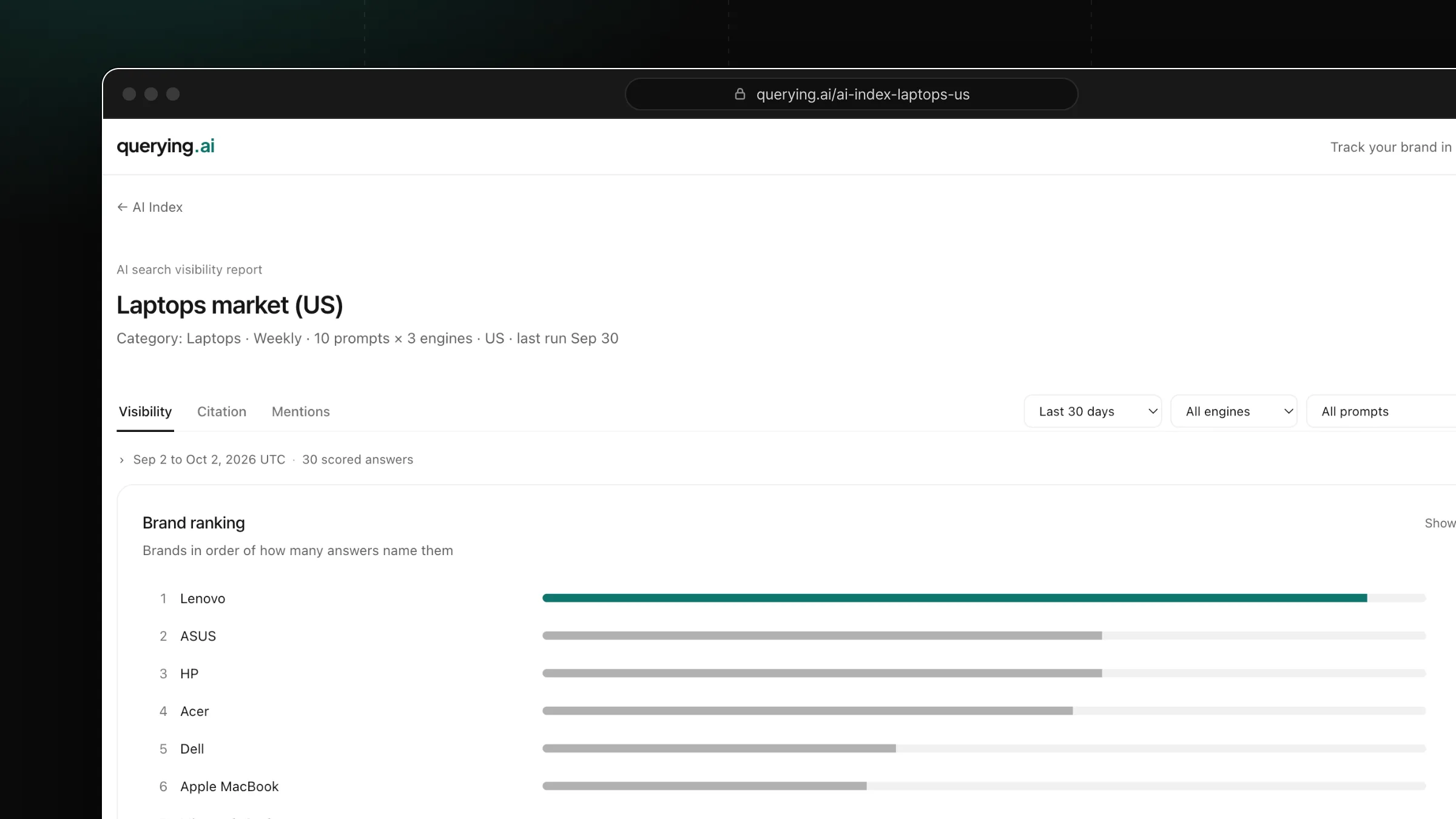
Publish a monitor report at its own querying.ai address and share it with a link.
querying.ai/your-name with the same charts, answers and citations as your dashboard.Open a monitor, select Share, then Publish. Pick the site address, copy the link and send it to clients, teammates or your audience. Anyone with the link opens the report straight in the browser.
Turn on Search engine indexing to let Google list the report. Unpublish at any time: the address is kept, so publishing again brings back the same link.
Set country to CN or HK on CHATGPT, GEMINI and GOOGLE tasks to get the answers users in mainland China and Hong Kong see.
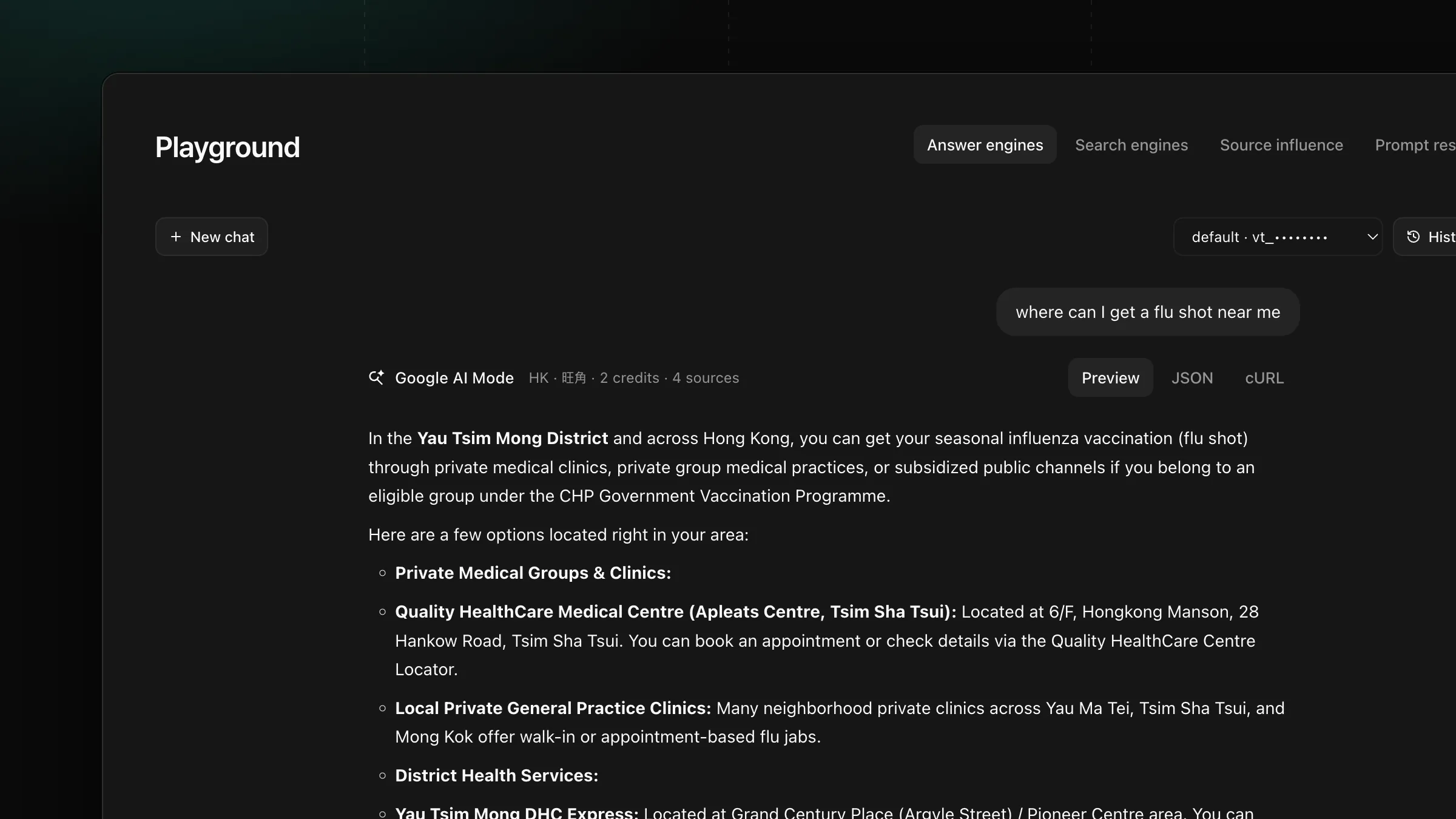
Set payload.location on GOOGLE, AIMODE and GOOGLE_SERP tasks to get the AI Overview, AI Mode answer and search results a user at that place sees.
Get new product updates in your inbox.