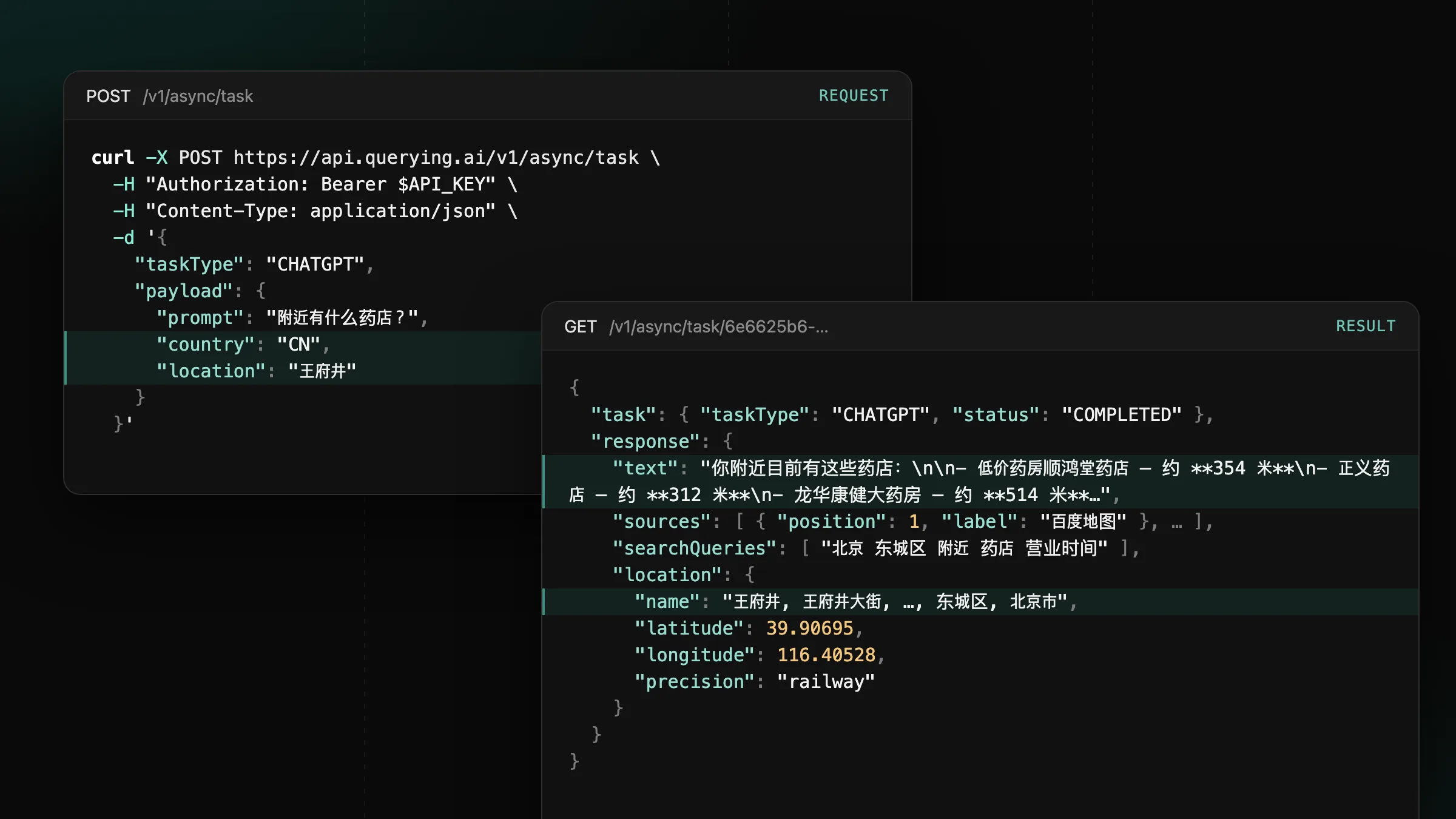
Now supporting mainland China on ChatGPT, Gemini and Google
Set country to CN or HK on CHATGPT, GEMINI and GOOGLE tasks to get the answers users in mainland China and Hong Kong see.
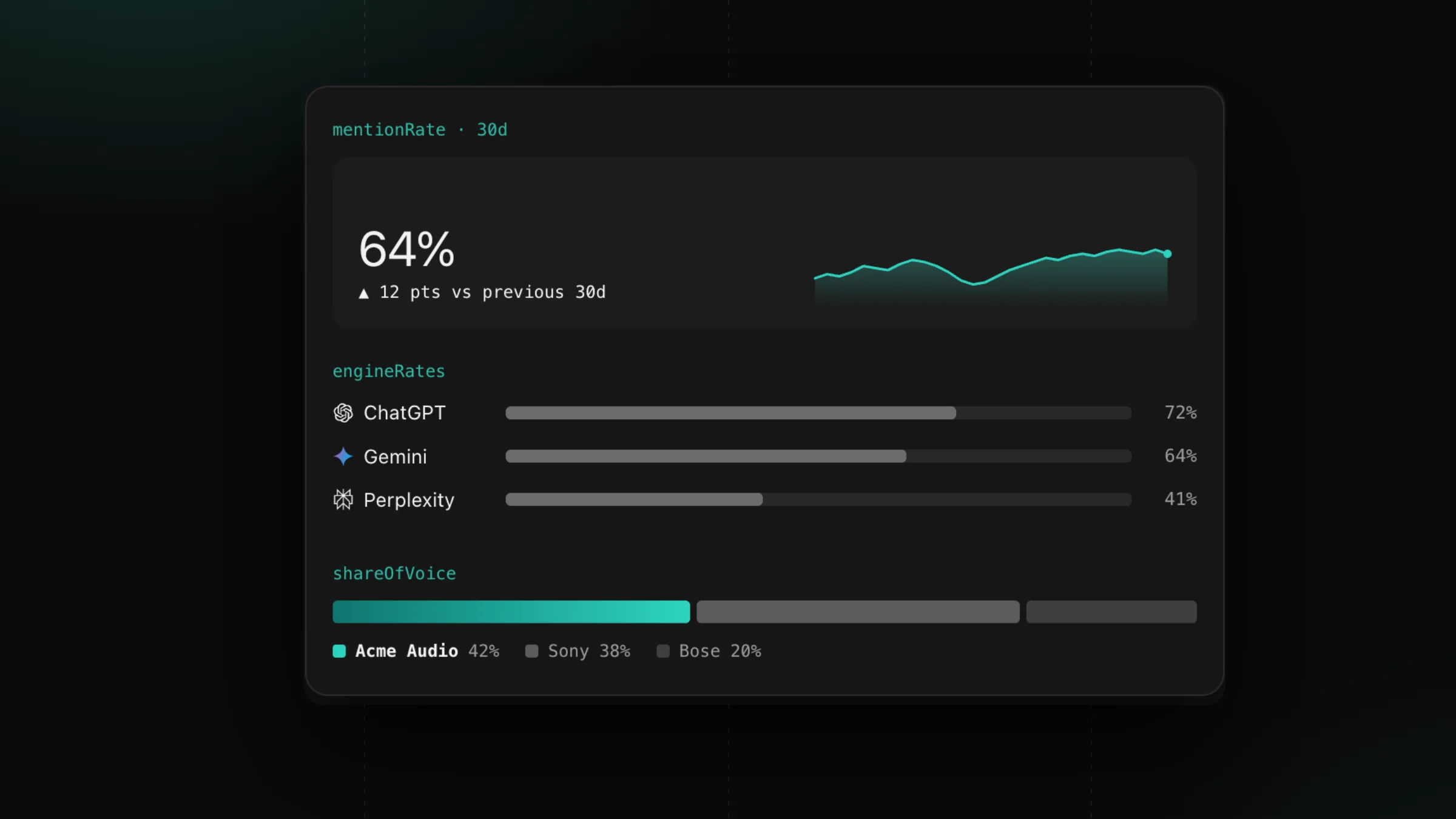
Monitors now find your competitors in their own answers and add them to your rankings.
The brands AI recommends next to yours are often a surprise: a newcomer, a retailer’s own label or a brand from another market. Once the first run is in, the monitor reads its answers, keeps the brands that sell what you sell and appear in at least two answers, and adds up to 15 of them to your rankings.
The read repeats every week, so the list follows the market. A found brand leaves the list after two reads in a row that miss it, so one unusual week leaves your report steady. Found brands carry source set to auto, and the brands you add carry user and stay exactly as you set them.
Whenever the list changes, the monitor recounts its stored answers, so every brand in the report is measured over the same answers. competitorsReadAt shows when the last read ran, and Settings lists found competitors next to yours.
Through the API, GET /v1/monitors/{id} returns the list in competitors. The brands below come from the public running shoes report:
curl "https://api.querying.ai/v1/monitors/$MONITOR_ID" \
-H "Authorization: Bearer $QUERYING_API_KEY"{
"success": true,
"data": {
"monitor": {
"id": "0b787ca9-f680-47ac-beaa-72c383b597c1",
"name": "Running shoes market (US)",
"competitors": [
{
"name": "HOKA",
"domain": "hoka.com",
"source": "user",
"aliases": ["HOKA"]
},
{
"name": "Xero Shoes",
"domain": "xeroshoes.com",
"source": "auto",
"aliases": ["Xero Shoes", "Xero"]
},
{
"name": "Vivobarefoot",
"domain": "vivobarefoot.com",
"source": "auto",
"aliases": ["Vivobarefoot"]
}
],
"competitorsReadAt": "2026-10-01T19:46:02.042Z"
}
}
}competitors[].sourcestringauto for a brand the weekly read found in your answers, user for one you added.competitors[].domainstringcompetitorsReadAtstringFinding competitors costs 100 credits a month per monitor, split across its runs: about 3 credits a run for a daily monitor and about 23 for a weekly one. A run pays its share once all its tasks are in.
Set country to CN or HK on CHATGPT, GEMINI and GOOGLE tasks to get the answers users in mainland China and Hong Kong see.
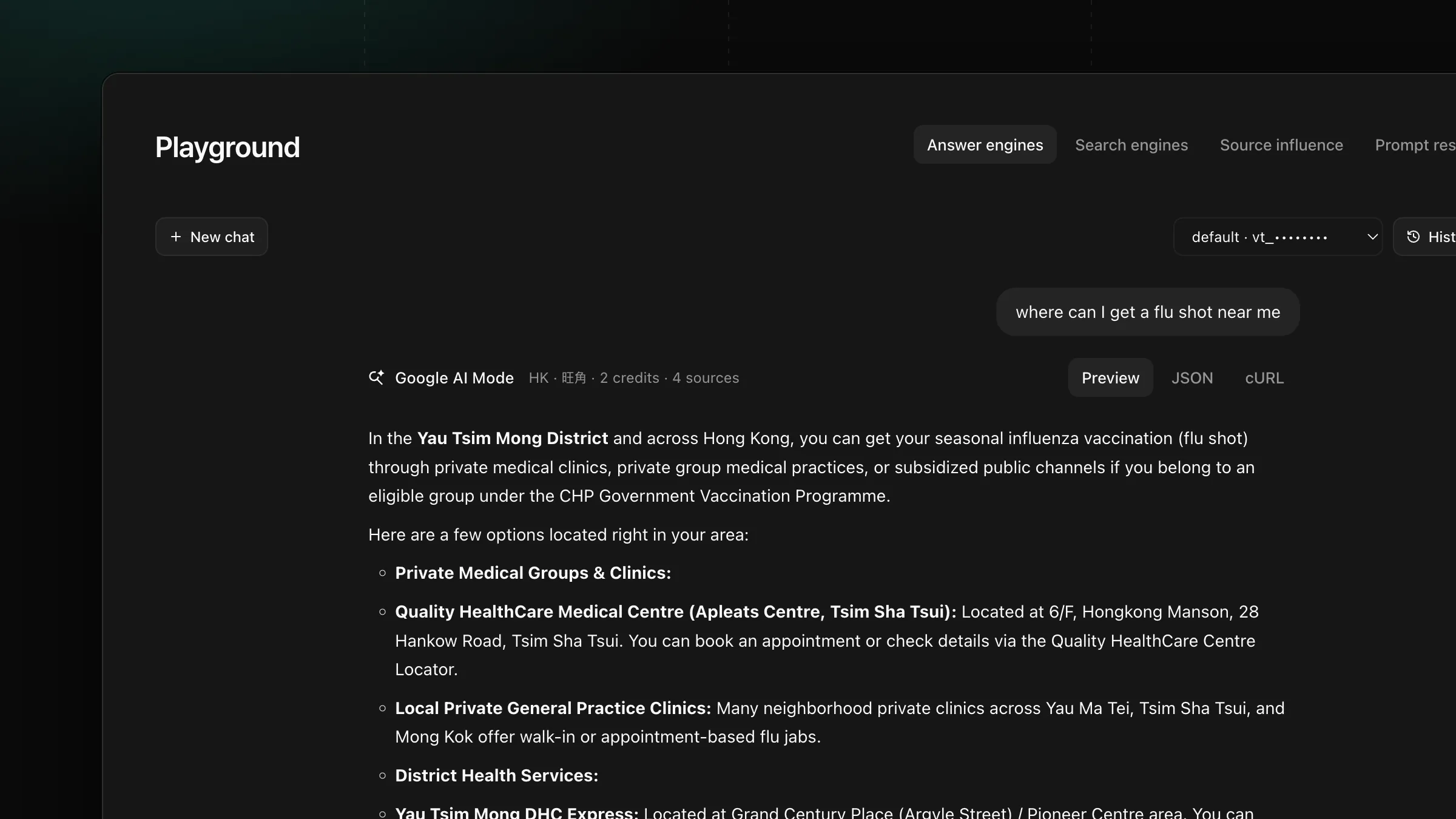
Set payload.location on GOOGLE, AIMODE and GOOGLE_SERP tasks to get the AI Overview, AI Mode answer and search results a user at that place sees.
Get new product updates in your inbox.