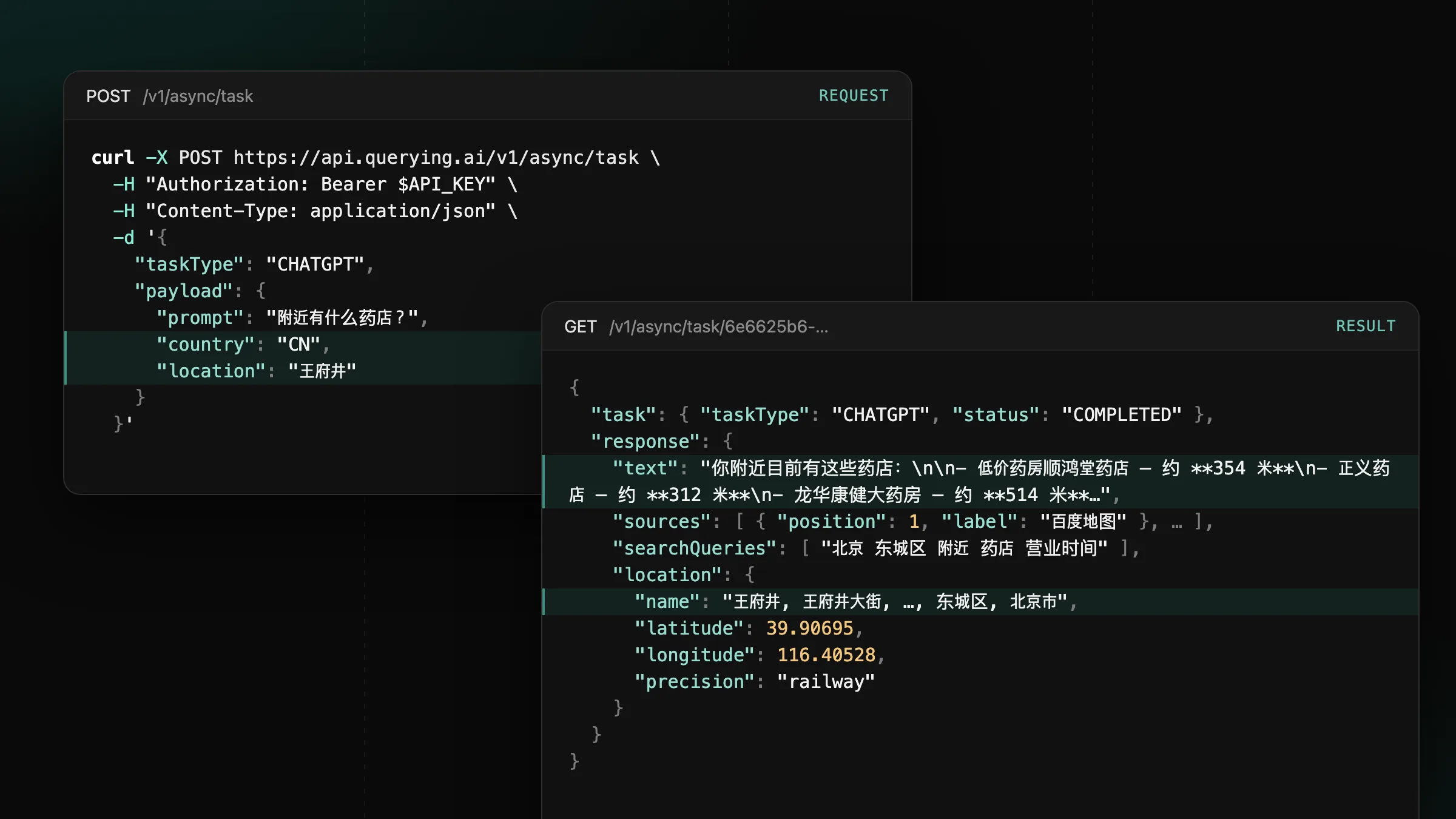
Now supporting mainland China on ChatGPT, Gemini and Google
Set country to CN or HK on CHATGPT, GEMINI and GOOGLE tasks to get the answers users in mainland China and Hong Kong see.
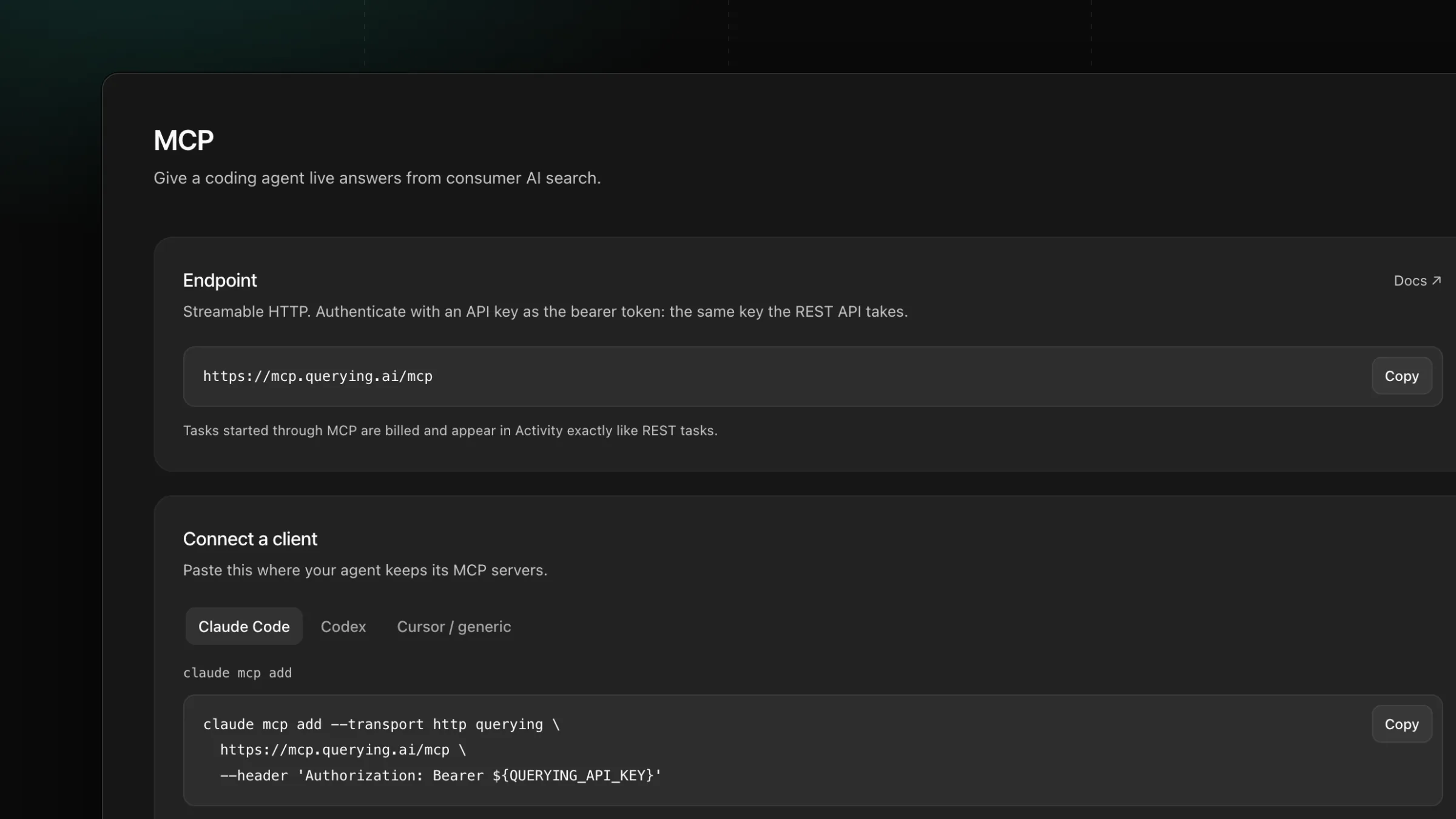
Give your coding agent or AI assistant live answers from AI search: it asks ChatGPT, Gemini, Perplexity and the other engines and reads the results on its own.
run_prompt: sends a prompt to any engine and waits for the answer, in one tool call.submit_prompt and get_task: queue a longer job and read its result later.MCP is the open standard AI agents use to call outside tools. Add the querying.ai server to your agent’s MCP settings with your API key, and the agent asks AI search engines questions while it works: it researches a market, checks how engines describe a brand or gathers sources for a draft.
The agent chooses the engine and country for each call and receives the same JSON your code gets from the API, so its findings rest on real answers.
Add the server where your agent keeps its MCP servers. Claude Code and Codex read the key from the QUERYING_API_KEY environment variable, so export it in the shell that starts the agent.
claude mcp add --transport http querying \
  https://mcp.querying.ai/mcp \
  --header 'Authorization: Bearer ${QUERYING_API_KEY}'
For any other client, paste the mcp.json entry and replace YOUR_API_KEY with a key from the dashboard. The server speaks Streamable HTTP at https://mcp.querying.ai/mcp.
Once connected, the agent calls these tools. Monitoring tools read and write the same monitors as your dashboard, and every task appears in Activity like an API call.
run_promptget_task.submit_promptget_taskresearch_promptsscrape_pagecreate_monitorrun_monitorget_monitor_analyticsget_monitor_resultsincludeEvidence adds the stored answer text and citations.get_monitor_answerTasks started through MCP use the same credits as the API and are charged when they complete.
Set country to CN or HK on CHATGPT, GEMINI and GOOGLE tasks to get the answers users in mainland China and Hong Kong see.
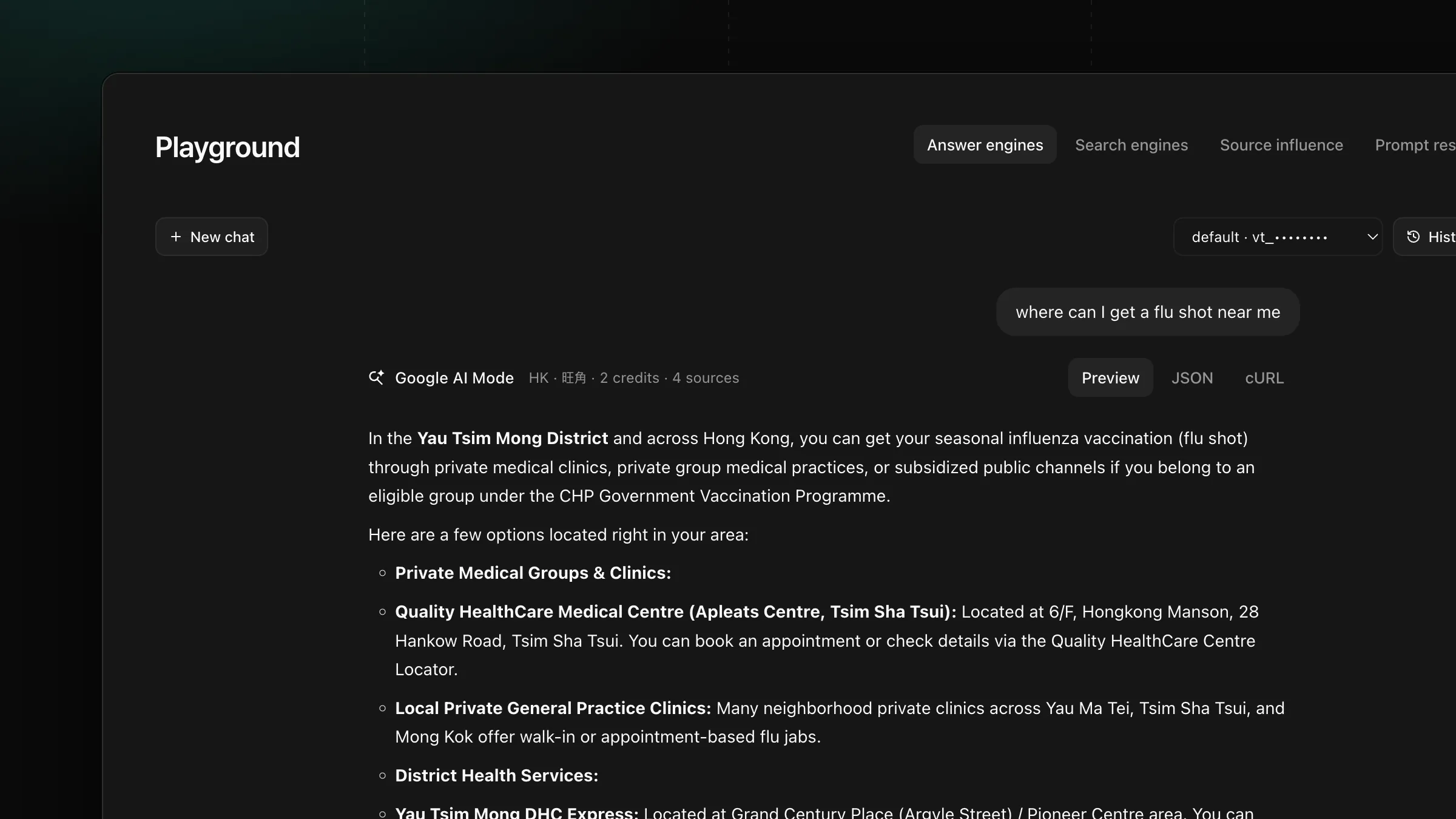
Set payload.location on GOOGLE, AIMODE and GOOGLE_SERP tasks to get the AI Overview, AI Mode answer and search results a user at that place sees.
Get new product updates in your inbox.