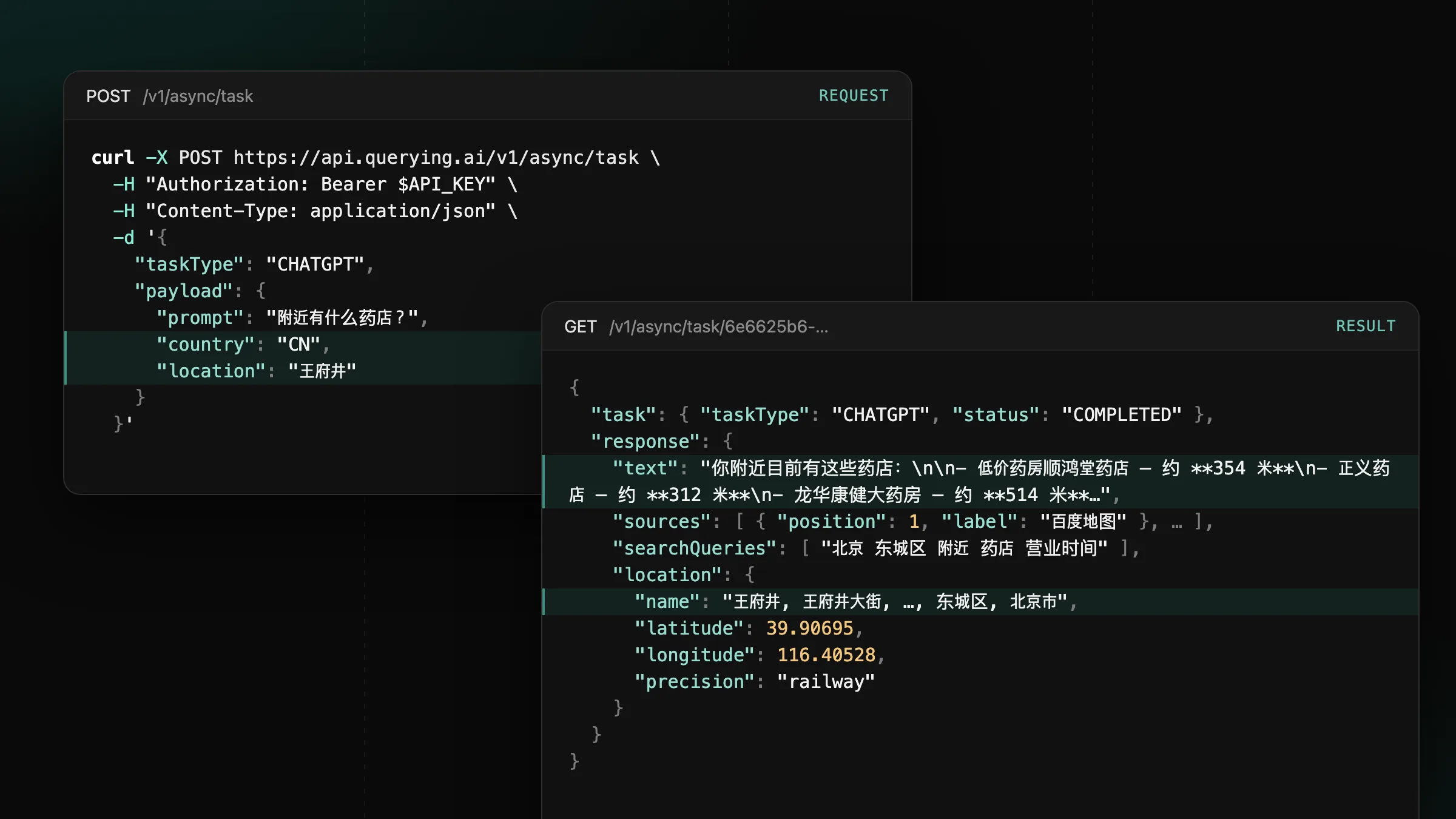
Now supporting mainland China on ChatGPT, Gemini and Google
Set country to CN or HK on CHATGPT, GEMINI and GOOGLE tasks to get the answers users in mainland China and Hong Kong see.
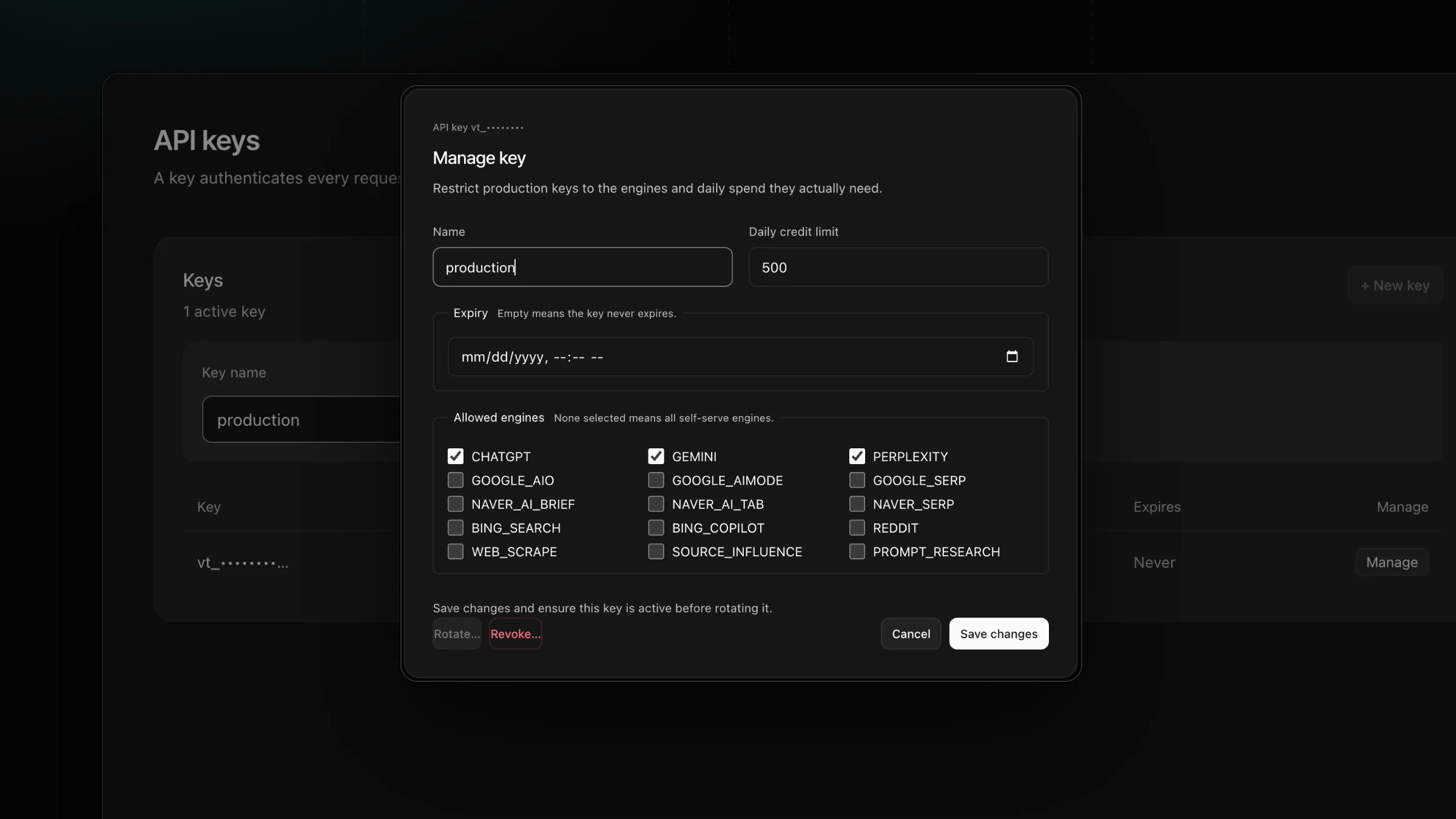
Create an account, issue an API key from the dashboard and send your first task within minutes.
Sign in, open API keys and create a key. The full key appears once, at creation, and we keep only a hash of it, so copy it straight into your secret manager. Every request then carries it in the Authorization header.
A revoked key stops working within seconds, and your other keys keep running. Separate keys for production, staging and experiments show where traffic comes from and let you replace one key at a time.
production and select Create key.QUERYING_API_KEY and send your first request:curl -X POST https://api.querying.ai/v1/async/task \
-H "Authorization: Bearer $QUERYING_API_KEY" \
-H "Content-Type: application/json" \
-d '{
"taskType": "GEMINI",
"payload": { "prompt": "best CRM for a small team", "country": "US" }
}'The call returns the queued task on your account, and the task appears in Activity.
MISSING_API_KEYHTTP 401Authorization header is missing, or its key is unknown, expired or revoked.KEY_SCOPE_DENIEDHTTP 403KEY_DAILY_CREDIT_LIMITHTTP 429Retry-After runs until the next midnight UTC.Set country to CN or HK on CHATGPT, GEMINI and GOOGLE tasks to get the answers users in mainland China and Hong Kong see.
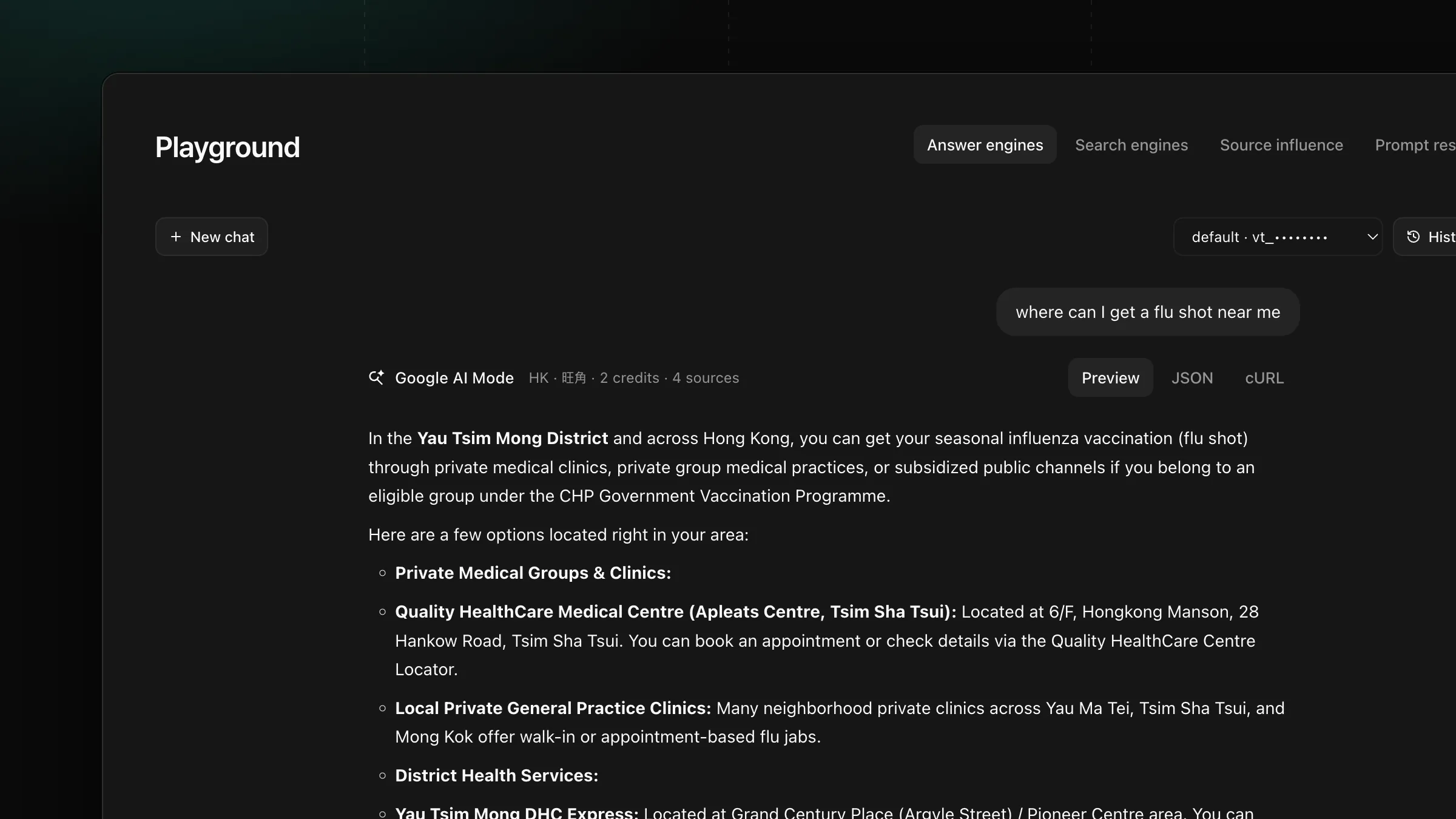
Set payload.location on GOOGLE, AIMODE and GOOGLE_SERP tasks to get the AI Overview, AI Mode answer and search results a user at that place sees.
Get new product updates in your inbox.