LinkedIn's own Ad Library API is a vetted product for research and non-commercial use, behind an access form and an OAuth member token. Read a competitor's LinkedIn ads as JSON with one API key: search by keyword, advertiser or payer, with run dates, impressions and targeting for ads shown in the EU, request examples, response fields and the cost per 10,000 ads.
What LinkedIn offers developers
LinkedIn publishes its ads in the LinkedIn Ad Library and offers an Ad Library API on top of it. The API program page lists four steps: create a LinkedIn Page and a developer application, request the LinkedIn Ad Library product in the application's Products tab and fill the access form, accept the API terms of use and the Additional Terms for the LinkedIn Research Tools Program, then call the API with a 3-legged OAuth member token. Source: LinkedIn Ad Library API program.
The same page sets the scope. The API searches ads by keyword, advertiser, targeted countries and date range. It covers ads created on or after June 1, 2023, keeps each ad for one year after its last impression and shows a new ad 24 to 48 hours after its first impression, with dates in UTC. Every ad carries its advertiser, format and creative. Ads targeted to the EU add impressions, the dates the ad ran and the top three targeting parameters the advertiser picked.
LinkedIn describes the API as "intended to support ad transparency for research and non-commercial use cases" and applies a rate limit to it. A research team that fits those terms gets what it needs there. A product team that tracks competitors every week, or a tool that serves clients, starts with an access review and a use case outside that description. The rest of this guide reads the same ads as JSON with one API key.
| LinkedIn Ad Library API | querying.ai linkedin_ad_library | |
|---|---|---|
| Access | Vetted application, access form, OAuth member token | An API key and one HTTP request |
| Stated use | Ad transparency research, non-commercial | Competitor and market research |
| Search by | Keyword, advertiser, countries, dates | query, advertiserName, payer, country, dates |
| Who paid | Per ad | payer on every ad, and a payer search |
| Run dates, impressions, targeting | Ads shown in the EU | Ads shown in the EU, with reachByCountry |
| Summary of the ads | Build it yourself | summary: advertisers, formats, launches by week |
Get a competitor's LinkedIn ads as JSON
One request covers one competitor. search with the competitor's name in advertiserName lists its ads in the country you pick, 30 by default and up to 120. advertiserName matches part of a name, so check advertiserName on each ad. Add details: true to read every ad the way ad does, up to 50 per request. A request waits for the result up to 290 seconds and answers in the same call. Reference: LinkedIn Ad Library.
curl -X POST https://api.querying.ai/v1/ads/linkedin-ad-library/search \
  -H "Authorization: Bearer $QUERYING_API_KEY" \
  -H "Content-Type: application/json" \
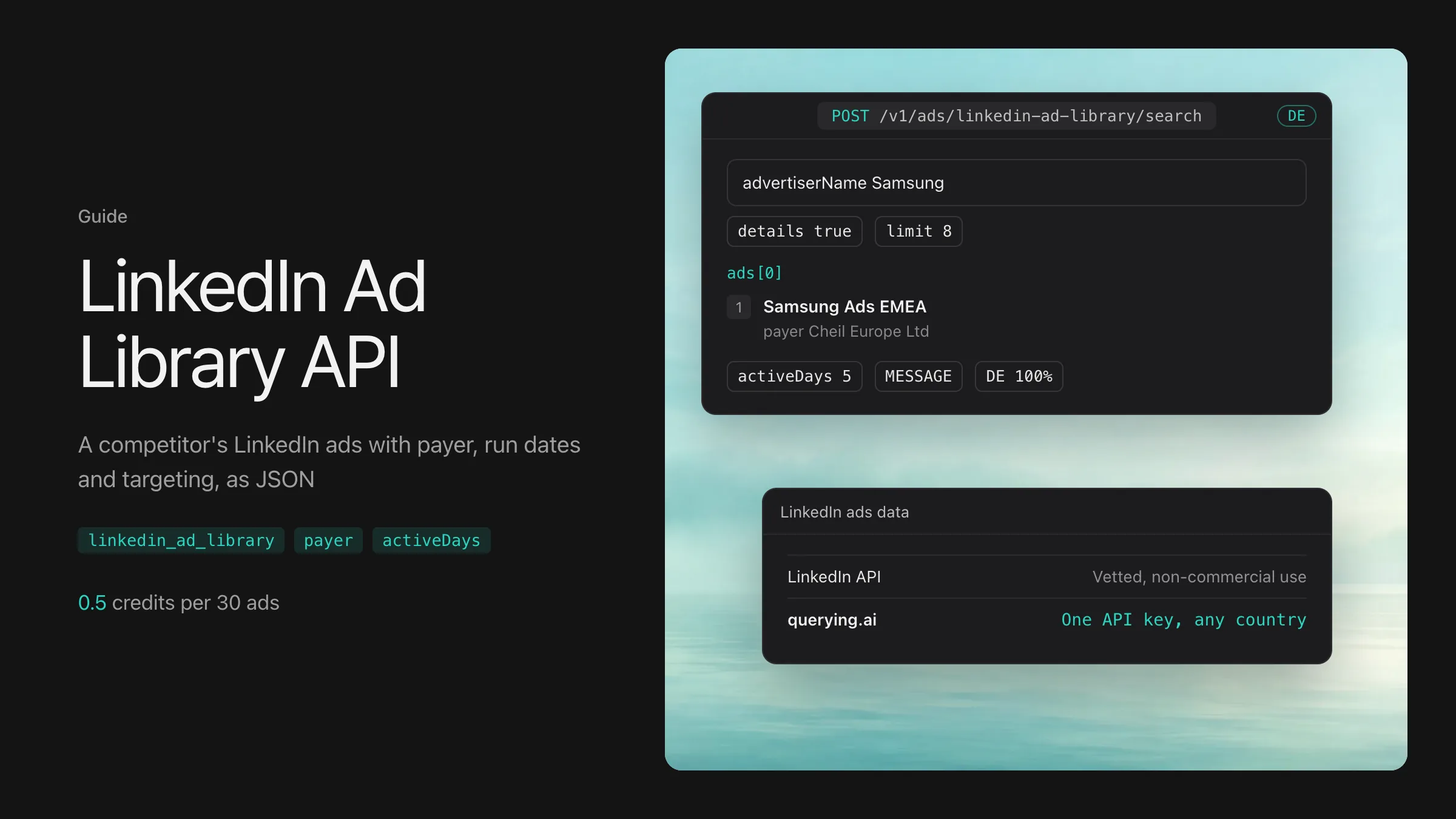
  -d '{ "advertiserName": "Samsung", "country": "DE", "details": true, "limit": 8 }'
The response lists the ads with their payer and, for ads shown in the EU, their run dates and impressions, plus a summary:
{
  "platform": "linkedin_ad_library",
  "action": "search",
  "country": "DE",
  "advertiserName": "Samsung",
  "returnedCount": 8,
  "hasMore": true,
  "ads": [
    {
      "libraryId": "1615189963",
      "advertiserName": "Samsung Ads EMEA",
      "format": "MESSAGE",
      "ctaText": "Jetzt herunterladen",
      "payer": "Cheil Europe Ltd",
      "startDate": "2026-11-18",
      "endDate": "2026-11-22",
      "activeDays": 5,
      "impressions": { "min": 0, "max": 1000 },
      "reachedCountries": ["DE"],
      "detailStatus": "read"
    }
  ],
  "summary": { "formats": { "ARTICLE": 1, "DOCUMENT": 3, "IMAGE": 2, "MESSAGE": 2 }, "medianActiveDays": 5 },
  "detailedCount": 8
}| Field | What it holds |
|---|---|
| returnedCount, hasMore, nextCursor | The ads in this response, whether the library has more, and the cursor that reads them |
| ads[].libraryId, libraryUrl | The ad's ID and its page in the LinkedIn Ad Library |
| ads[].advertiserName, payer | The page that runs the ad and who paid for it |
| ads[].format, creativeType | IMAGE, VIDEO, CAROUSEL, DOCUMENT, ARTICLE, MESSAGE, JOB, SPOTLIGHT or FOLLOW_COMPANY, and LinkedIn's creative type |
| ads[].title, body, images, videos | The ad as it appears, with the full text when details is on |
| ads[].startDate, endDate, activeDays, impressions | Run dates and the impressions range, for ads shown in the EU |
| ads[].targeting, reachByCountry | Languages, locations and targeting parameters, and the share of impressions per country |
| summary | The 10 advertisers with the most ads, formats, launches by ISO week and the median activeDays |
Search by keyword or by who paid
A keyword search shows who advertises on a topic. Send query with country ALL and up to 120 ads come back, with summary.advertisers counting the advertisers behind them:
curl -X POST https://api.querying.ai/v1/ads/linkedin-ad-library/search \
  -H "Authorization: Bearer $QUERYING_API_KEY" \
  -H "Content-Type: application/json" \
  -d '{ "query": "webinar", "country": "ALL", "limit": 120 }'
Open one ad with ad and its libraryId, from a search or from an Ad Library address:
curl -X POST https://api.querying.ai/v1/ads/linkedin-ad-library/ad \
  -H "Authorization: Bearer $QUERYING_API_KEY" \
  -H "Content-Type: application/json" \
-d '{ "libraryId": "1638962914" }'{
"ad": {
"advertiserName": "Samsung Germany",
"format": "VIDEO",
"title": "Smart arbeiten mit der Galaxy Z-Serie",
"linkUrl": "https://www.samsung.com/de/smartphones/galaxy-z-fold8/",
"payer": "Starcom Germany GmbH",
"startDate": "2026-11-11",
"endDate": "2026-11-22",
"activeDays": 12,
"targeting": {
"language": { "exclude": null, "include": ["English"] },
"location": { "exclude": null, "include": ["Germany"] }
}
},
"transparency": {
"impressionsText": "50k-100k",
"reachByCountry": [{ "countryCode": "DE", "share": 100 }]
}
}- Search by
payerwith an agency's name to list the ads it paid for, whichever company page runs them. - Read
summary.launchesByWeekfrom a daily search withdetailsto see when a competitor starts a new push. - Compare the counts in
summary.formatsto see whether a competitor bets on document, video or message ads. - Read
targeting.locationandreachByCountryon EU ads to see which markets a competitor targets.
Cost per 10,000 ads
| Plan | Price and credits | Ad list, per 10,000 ads | With details, per 10,000 ads |
|---|---|---|---|
| querying.ai Basic | $20 / 8,000 credits | $0.42 | $3.00 |
| querying.ai Pro | $200 / 170,000 credits | $0.20 | $1.41 |
| querying.ai Scale | $500 / 480,000 credits | $0.17 | $1.25 |
| querying.ai Max | $1,000 / 1,000,000 credits | $0.17 | $1.20 |
A search is charged 0.5 credits for every 30 ads it returns, at least 0.5 credits, so a search of 120 ads costs 2 credits and 10,000 ads cost 167 credits. details adds 0.5 credits for every 5 ads read in detail, so a detailed search of 50 ads costs 6 credits and 10,000 ads with their details cost 1,200 credits. Prices are each plan's monthly price divided by its credits. ad costs 0.5 credits, and only completed requests are charged. A new account starts with 500 free credits, enough for 30,000 ads before you pick a plan.
Limits to plan for
- The library keeps ads for about 12 months, and the date filter takes the last year only. To keep a competitor's history, search its ads every day and store them.
- Run dates, impressions, targeting and
reachedCountriesare published for ads shown in the EU. Outside the EU these fields arenull, while the creative, advertiser and payer are there for every ad. - The library gives no total count, so
totalCountisnull. ReadhasMoreand sendnextCursorascursorwith the same search to read the next ads. - The library has no advertiser lookup.
advertiserNamematches part of a name and one search covers one name. - The library limits how fast it reads, so a search of 120 ads takes about half a minute. Carousel card images expire after about a week, so save the files you need. Compare the other ad libraries in Ad libraries compared.
Frequently asked questions
Does LinkedIn have an Ad Library API?
Yes. LinkedIn offers an Ad Library API as a vetted product: you request it from a developer application, fill an access form, accept the Additional Terms for the LinkedIn Research Tools Program and call it with a 3-legged OAuth member token. LinkedIn says it is intended for ad transparency research and non-commercial use.
Which ads does LinkedIn's API cover?
Ads created on or after June 1, 2023, kept for one year after their last impression. Every ad has its advertiser, format and creative, and ads targeted to the EU add impressions, run dates and the top three targeting parameters.
How do I get a competitor's LinkedIn ads as JSON?
Send the competitor's name as advertiserName, with a country, to POST /v1/ads/linkedin-ad-library/search. Add details: true to read each ad's payer, landing page and, for EU ads, run dates, impressions and targeting in the same request.
How much does a LinkedIn ad search cost on querying.ai?
0.5 credits for every 30 ads a search returns, which is $0.42 per 10,000 ads on Basic and $0.17 on Max. With details, 10,000 ads cost $3.00 to $1.20.
Can I see who paid for a LinkedIn ad?
Yes. ad and a search with details return payer for every ad, and a search with payer lists the ads an agency or company paid for.
How many ads can one request return?
Up to 120 with limit, or up to 50 with details. Send the response's nextCursor as cursor with the same search to read the next ads.
Put it to work
- Ad Library API for Competitor Ads
Search the Meta, Google, LinkedIn and TikTok ad libraries by keyword or by advertiser and get your competitors' ads as JSON through one async API. Ads from Facebook, Instagram, Google Search, YouTube, Display, Maps, LinkedIn and TikTok arrive with their creative, format, advertiser and landing page, and with the run dates and impressions the library publishes.